Migrating Associations that Exist Between Entities
An important activity within Client Lifecycle Management is capturing / unwrapping their clients ownership and control Hierarchy. To correctly risk asses and work with clients in a compliant way, institutions conduct this activity under the heading of KYC (Know Your Customer).
Regulatory and Compliance Rules differ from jurisdiction to jurisdiction, depending on the location of a Company or Related Party (such as a Shareholder, Director etc...) different data points or documents may be required to meet local regulations for that given jurisdiction.
The first step in this process is actually the relationships and entities that exist in the Hierarchy. In FenX this is done via associations. Fenergo clients who have existing data residing in legacy systems can migrate those associations into FenX via the Migration of Associations functionality.
Understanding Association Structures
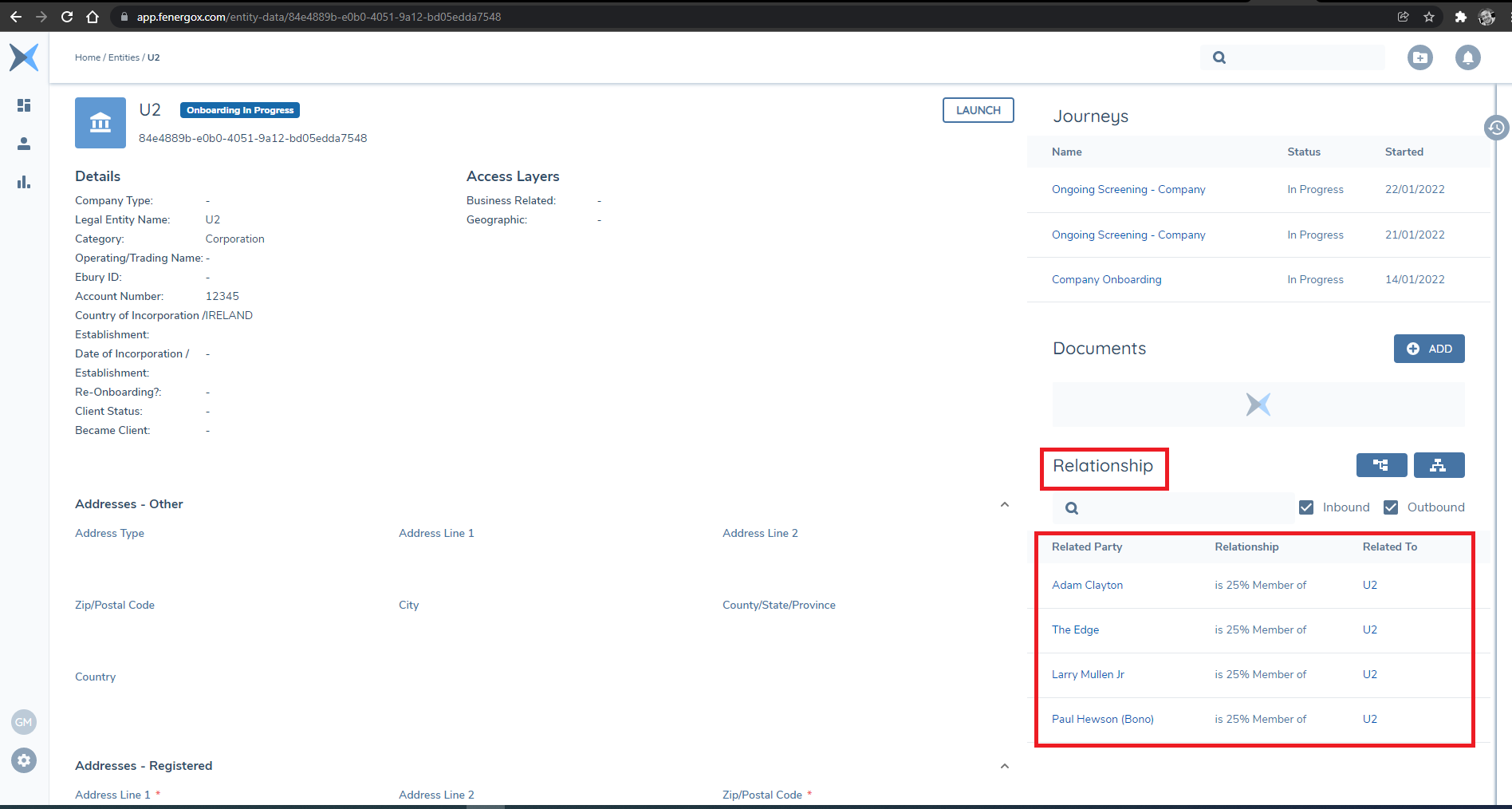
In the Example below a Simple "Root Legal Entity" representing the band U2 can be seen with relationships to the four band members. These are known as Inbound relationships and can verbalized as "The Edge is a 25% Member of U2".
This relationship also exists in the Opposite direction and navigating to the related Party, the relationship is described as an "Outbound" relationship and can be verbalized as "U2 has a 25% Member called The Edge".
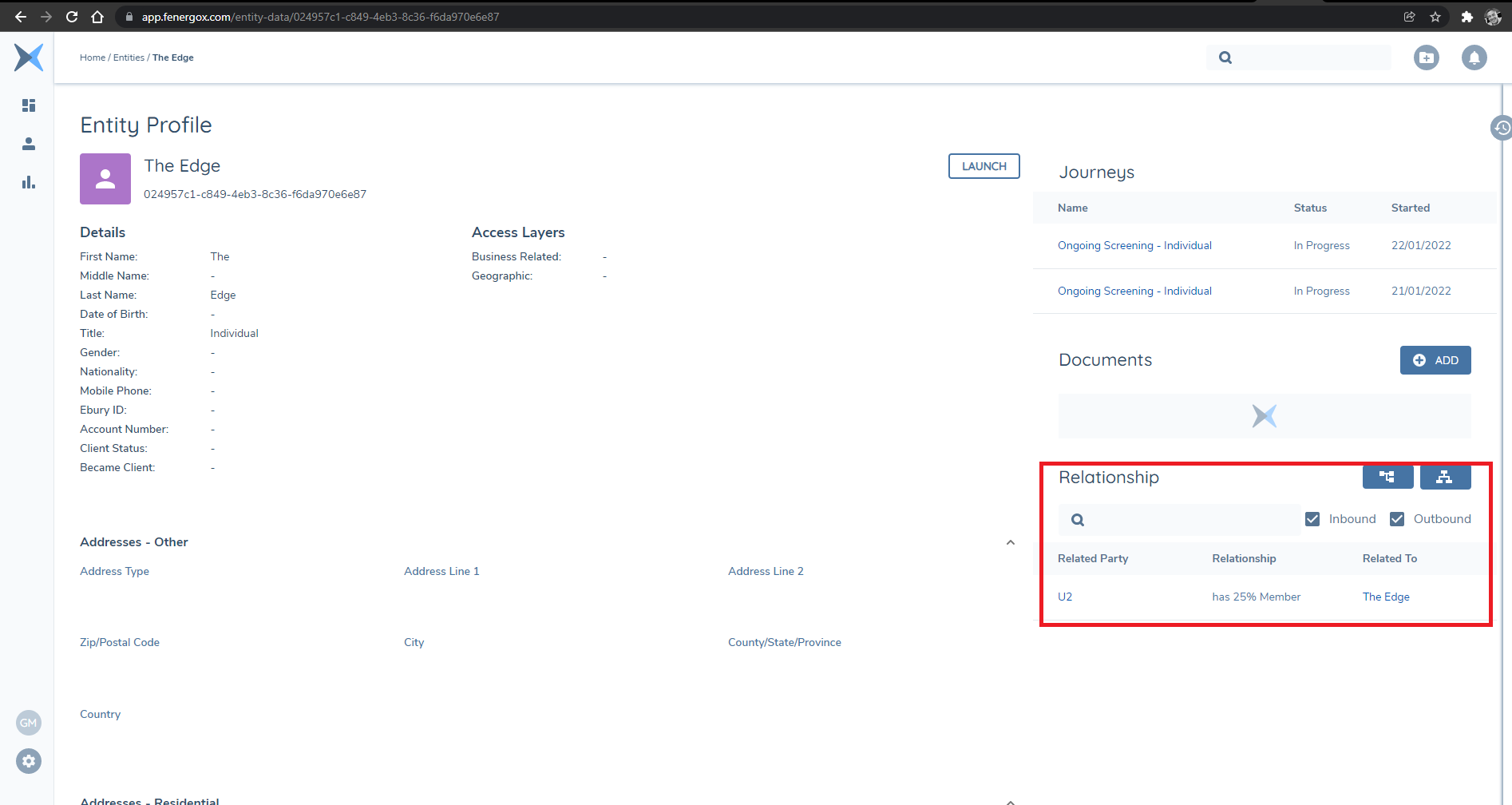
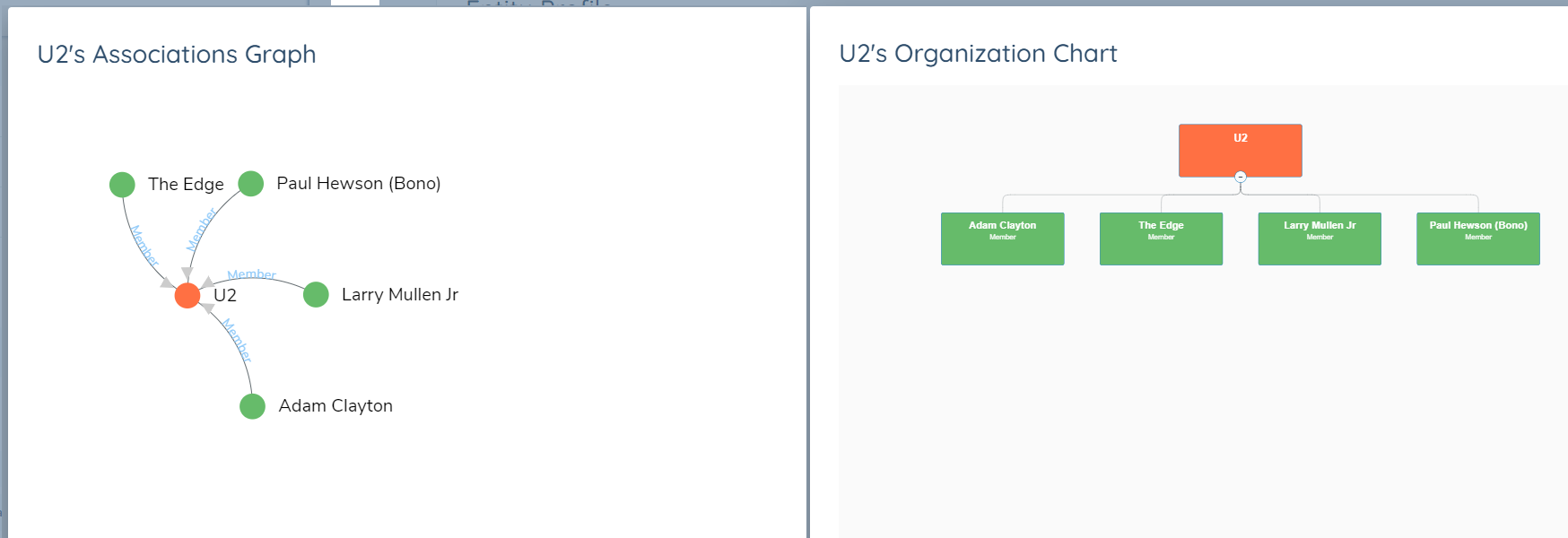
The Difference is the direction in which the association is established and who is the actual client being focused on. These hierarchies might be required to get quite detailed and granular depending on the regulatory requirements being satisfied. The structures can be visualized in the FenX UI from the Hierarchy Panel as an Associations Graph or an Organization Chart.
Setting up a Policy to Support Migrating Associations
Some standard configuration in a policy is required to make sure the association artifacts are created and available to the Migration as a staging Table. The policy being used for the Migration must be configured with some specific fields. Once completed clients can then populate the associations artifacts and push their relationship structures into FenX.
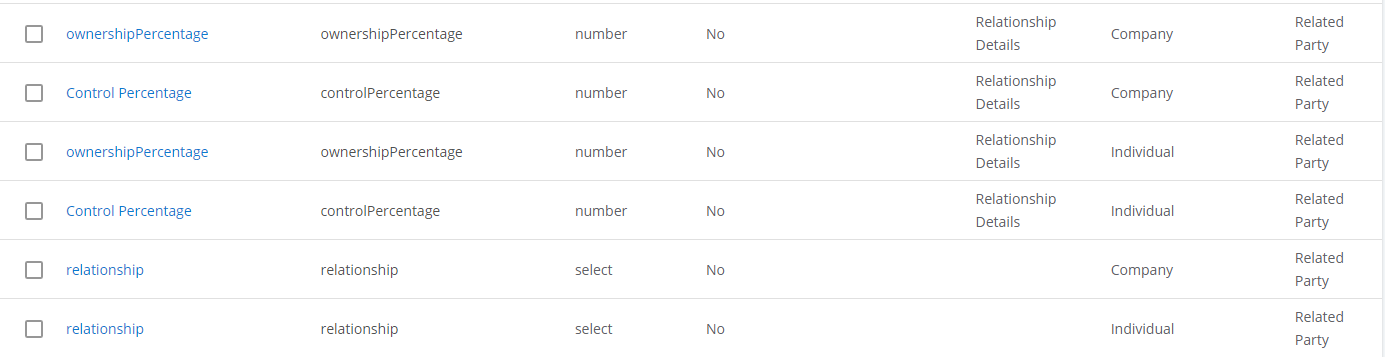
For individual and company there are three mandatory fields per entity type required (6 in total), the fields must be placed in the correct category and with the correct target entity. These fields are listed below:
- relationship - Category: Relationship Details | Target Entity: Related Party | Lookup Reference: Relationships
- controlPercentage - Category: Relationship Details | Target Entity: Related Party | Data Type: Number
- ownershipPercentage - Category: Relationship Details | Target Entity: Related Party | Data Type: Number
Populating the Data to create Associations
As per the Example with a Company Legal Entity called U2 above, the data to create this entity plus the related parties and then the associations is populated across three of the CSV artifacts as illustrated below. The objective is to create a Legal entity of type Company called U2, 4 Legal Entities to represent each of the band members and then an Inbound Association to U2 from Each of the Individuals.
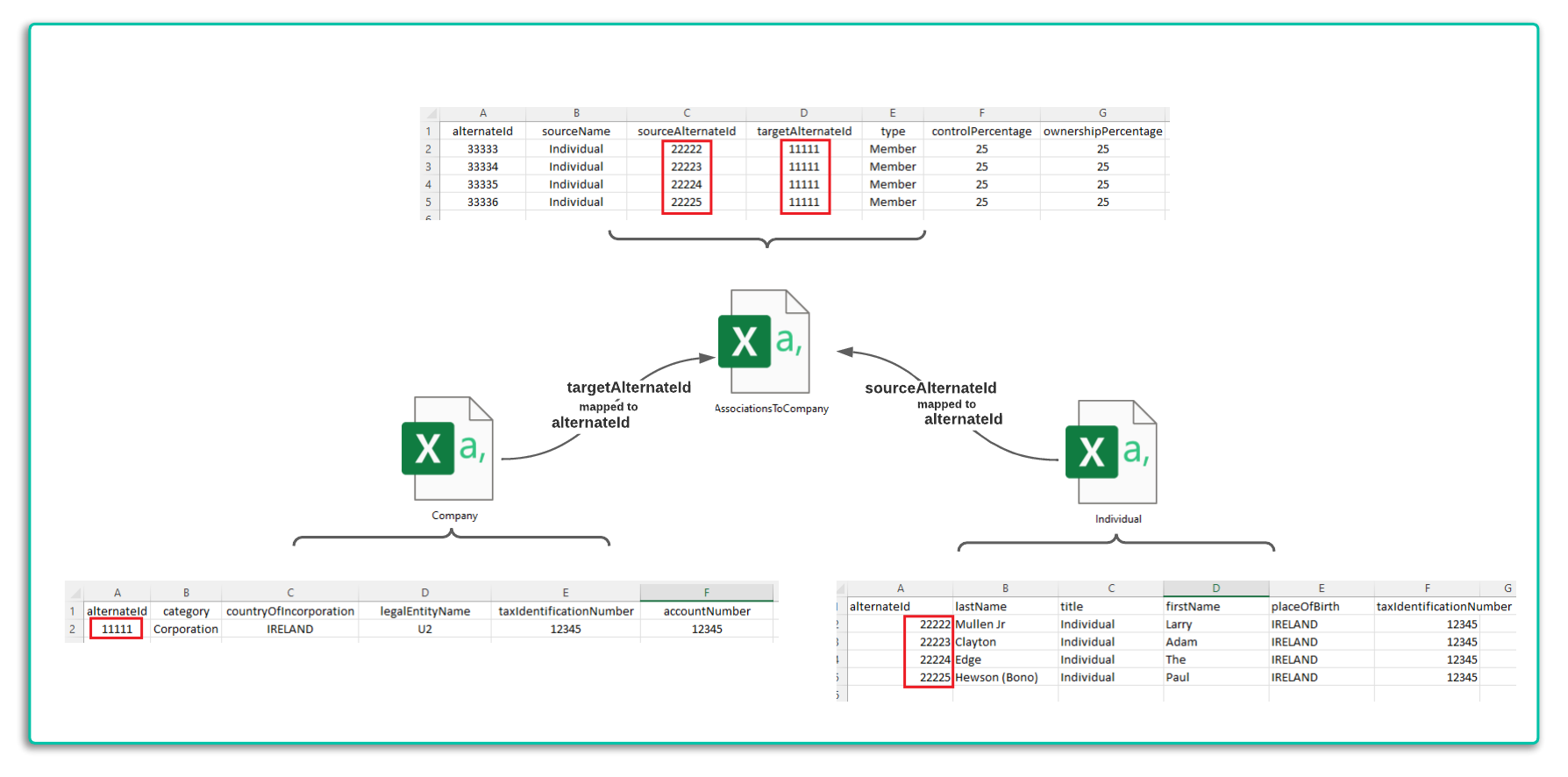
In the above example Inbound associations to the Company Entity are being migrated. The Data is populated in the "Association To Company" CSV file.
- The alternateID key from the Company Table is used as the "**targetAlternateId" in this file.
- Each of the associated / related parties are listed with their own alternateId's used as the "sourceAlternateId".
- The type field which is described in the Migration Schema will be a lookup of "Association Type".
- The "SourceName" field must be either "Individual" or "Company".
- Other columns are Self - Explanatory.
Legal Entity Records are created first in a Migration before any associations are added. This is because Associations can only be created between entities that exist.