Migrating Content into a Data Group
As covered in the Policy Journey and Entity Introduction, a policy can consist of many Data Points and Data Groups. As illustrated below, a policy is comprised of the following:
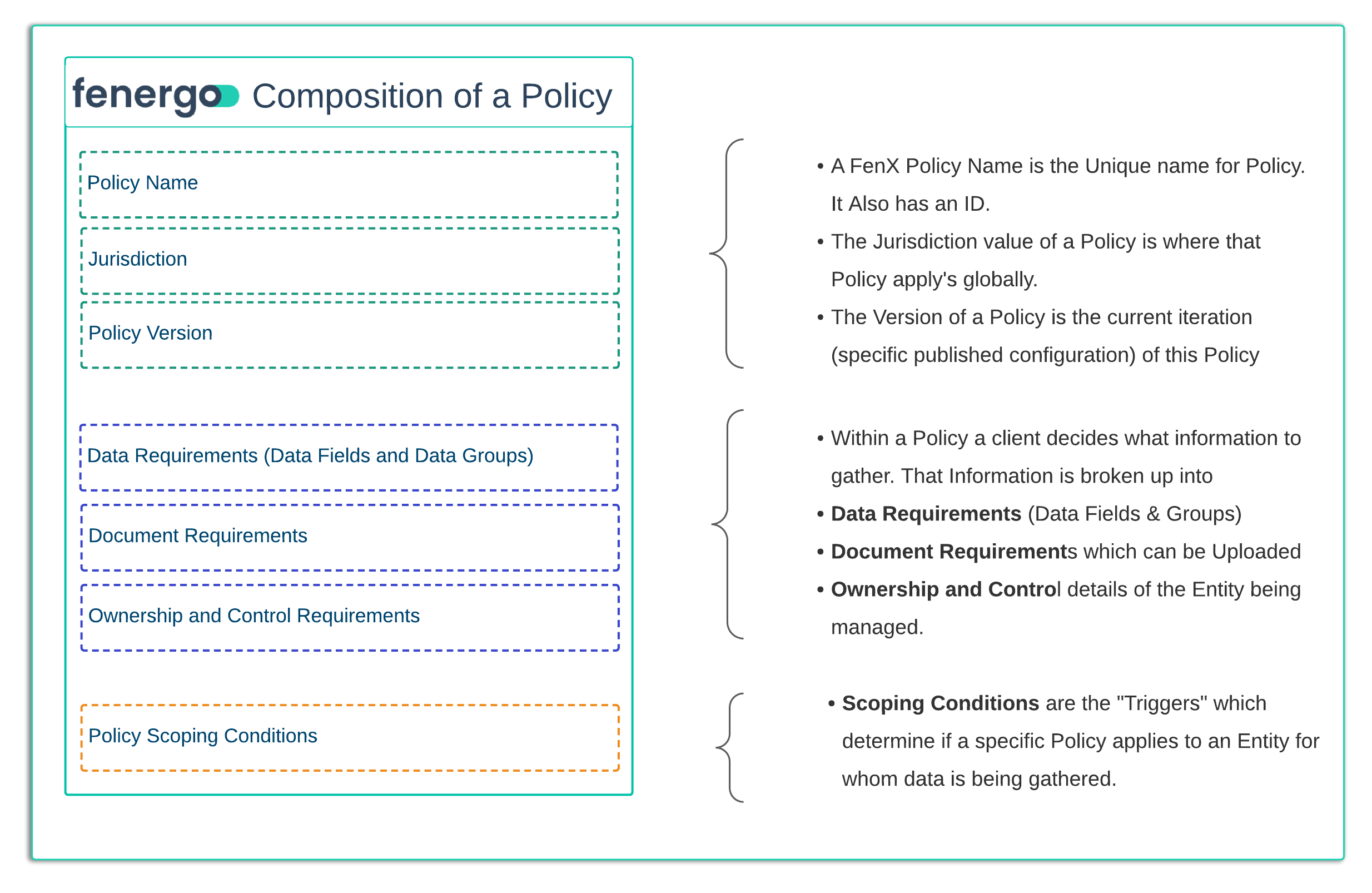
Data Groups are a collection of data fields such as Addresses and allow policies to be configured in a clean way, especially when there is a data modeling requirement to capture multiples of these to be added to the root of a legal entity
When a Data Migration is triggered against a policy which contains Data Group, a separate CSV file (staging table) is created to store the data and the schema document created will have a tab describing the relationship between the tables. All entries in these tables will use a parentAlternateId column to relate the rows to the parent Legal Entity.
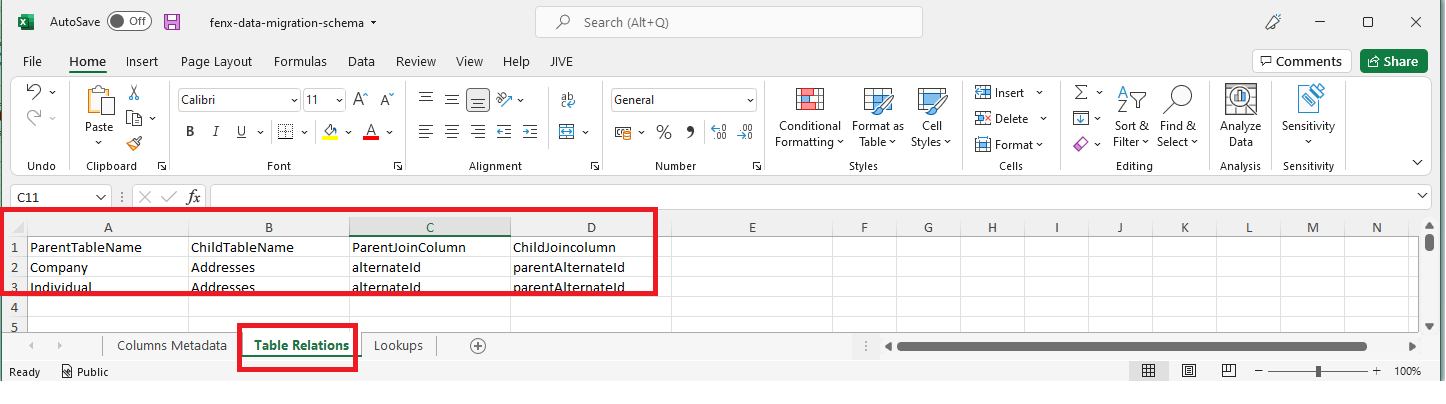
What can be seen above is the Company and Individual Tables (the CSV files) have a relation to a child table (called Addresses). The value from the Parent Table column which creates the relationship to the Child Table is "alternateId". This value needs to be populated into the Child Table in column "parentAlternateId".
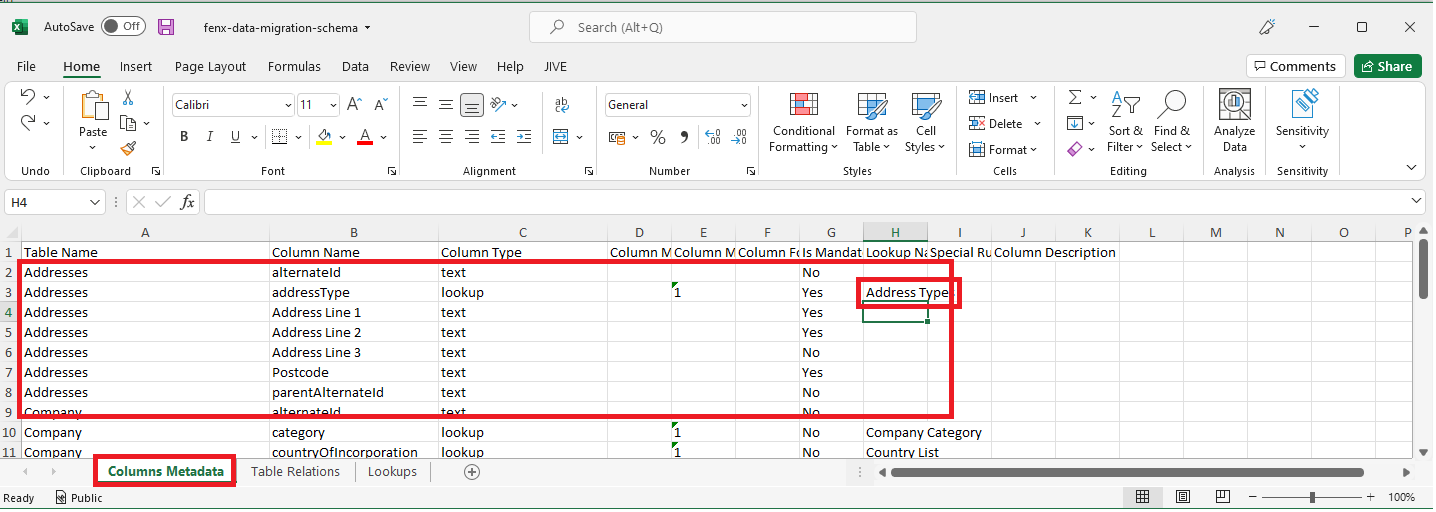
The Table Structure for the Address is visible in the Columns Metadata"** table on the Migration Schema File. The required data points and types are outlined here along with the Data Types. One interesting type is the addressType Filed. This has an entry in the "Lookup Name" Column of the schema which means this data point is a Drop Down Select Field. This is important because the ONLY valid values that can be populated into this column are those listed in the Address Type Lookup (as below).
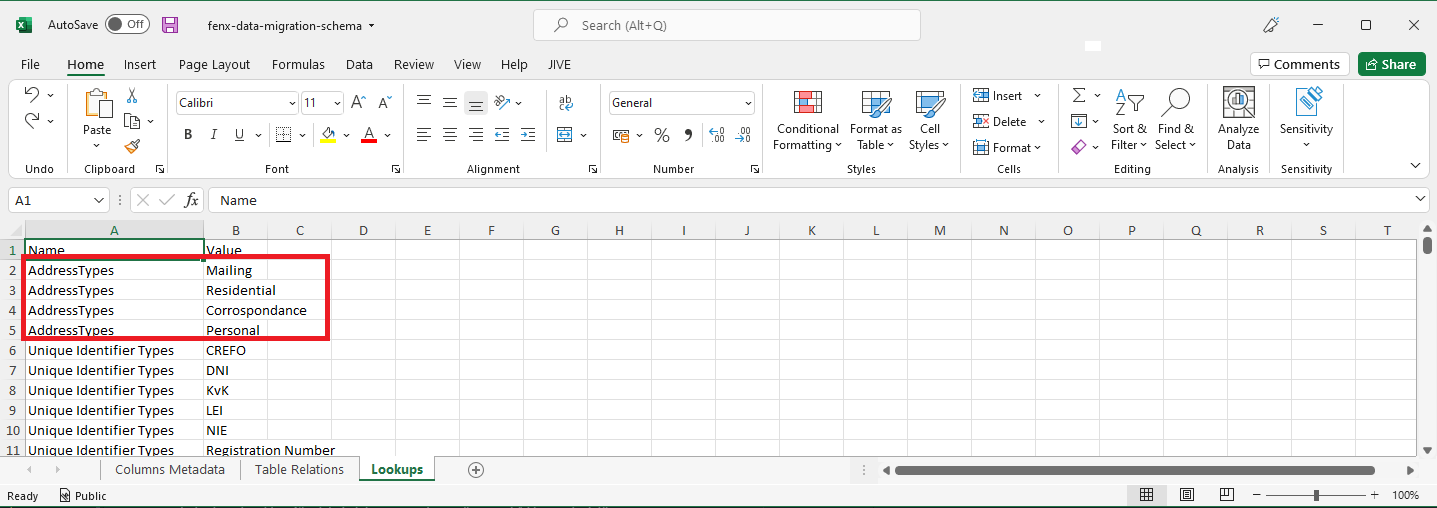
When preforming this migration, the data provided will be validated against the Address Type lookup and only the available options listed in the Lookups for this type will be accepted as valid data. If invalid data is provided the validation step of the migration will fail and no data will be migrated.
Cleaning Data Groups
  AS: an API consumer:

    GIVEN: I have a Data Group data populated in a migrated Legal Entity in the the Fenergo SaaS Platform

    AND: I want to update that Legal Entity and clean the Data Groups using data migration

THEN: The Data migration process should remove all Data groups saved against the Legal Entity
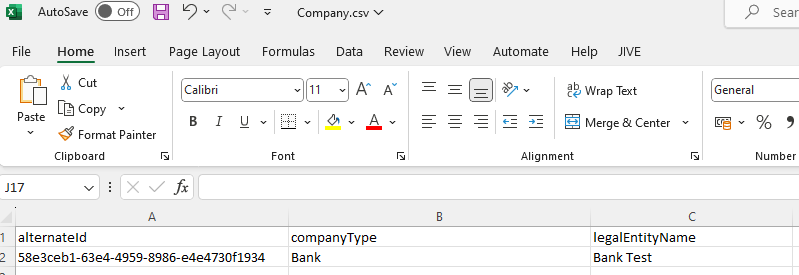
To satisfy this use case, a client will need to provide the file with the legal entity that they want to clean, the data group and the data group file. As per the example below.
The file for the Legal Entity such as Company
The file for the data group such as Addresses
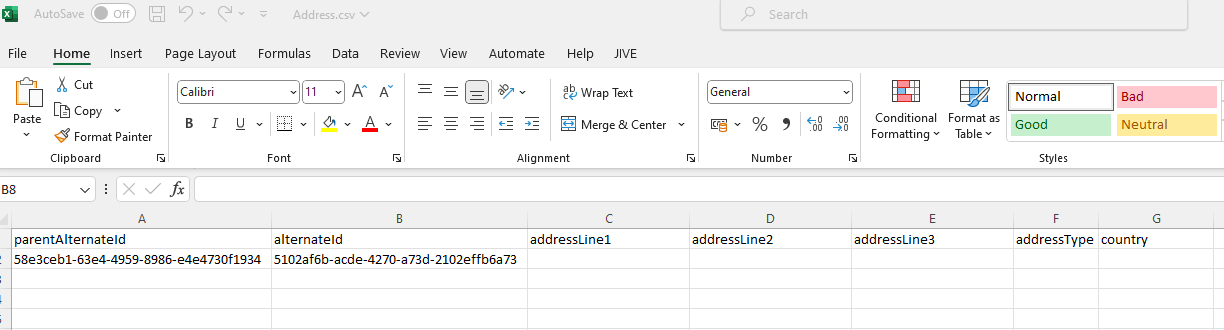
The structure of the files are the same, the difference is that in the data group file only the parentAlternateId and the alternateId will be populated while leaving the other columns empty for the process to identify that it must clean all the entries for that data group in the Company referenced. The client needs to add only one alternateId per parentAlternateId to clean all the data groups in that legal entity.
Data group cleaning works only for collection data groups, single data groups are not covered here.