FenX Risk Functionality Overview
A core feature of the FenX platform is the Risk Engine. This can be configured to client needs and then utilized in two distinct ways.
- It can be configured inside a Journey to take the data points (know as Risk Factors) and calculate the risk of a Legal Entity which in turn can then be used to dictate the level of Due Diligence applied to a Client Legal Entity.
- It can also be called in a "Stateless" way where Risk Factors are sent in and a risk calculation is returned. No Data is Created in FenX and Risk Factors are non Personally Identifiable information.
What is the Risk Engine Comprised of ?
As a "Config First" platform, FenX Admin users can navigate to the "Risk Configuration" Screen in FenX where can configure all the elements needed to calculate risk. The same configuration can be achieve via the APIs but it will be easier to understand conceptually using the user interface initially. There are 4 areas that need to be configured.
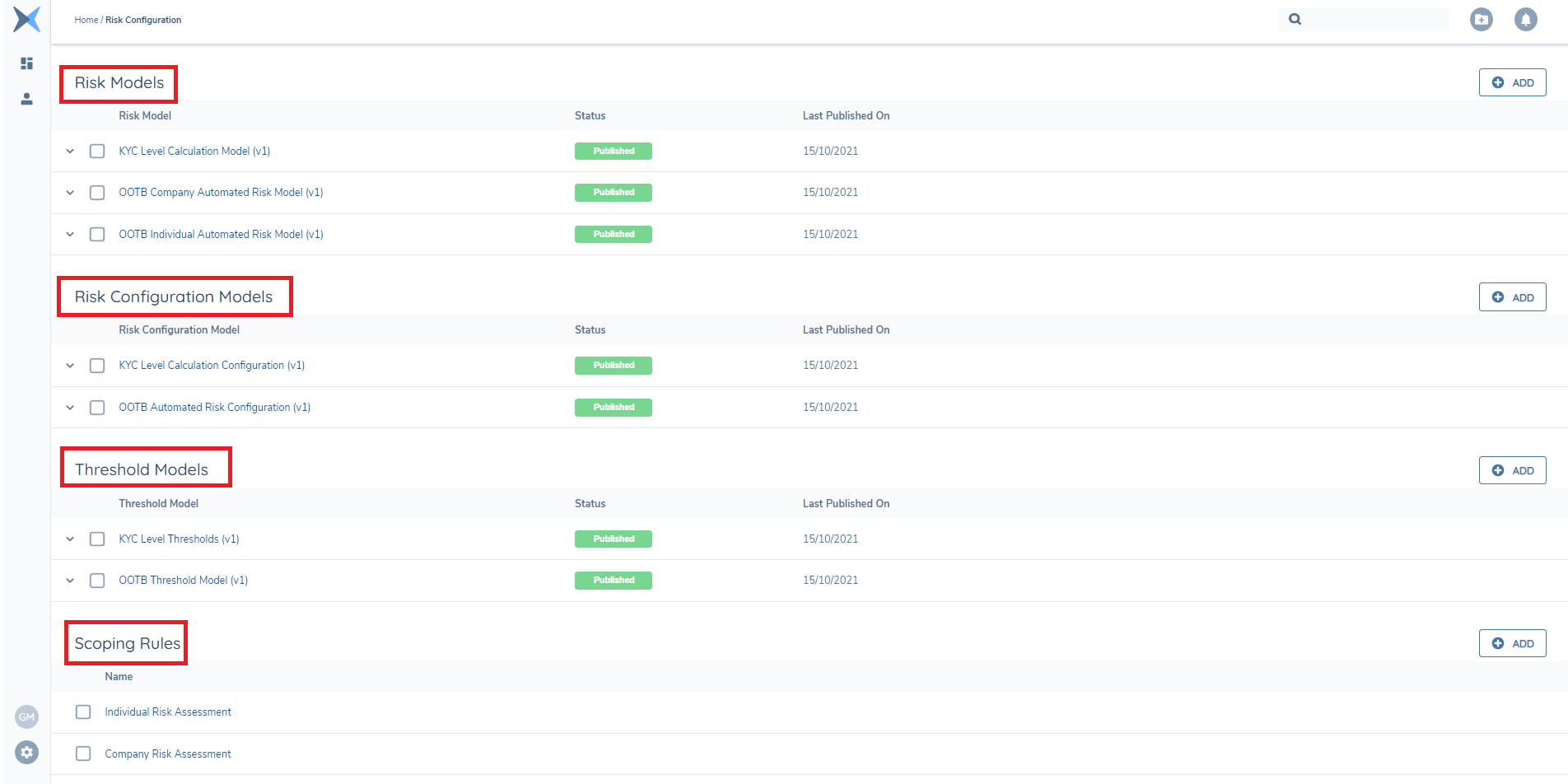
- Risk Models - Is where Risk Factor Names (will be the same data points as the Policy), Data Groups, and Risk Weighting are configured.
- Risk Configuration Models - Is where a "Score" is assigned to the Fisk Factor Inputs (Not all Risk Factors are required to calculate risk - more factors the more accurate the result)
- Threshold Models - This is where the "Outcome" of a risk calculation is configured along with the "Next Review Date".
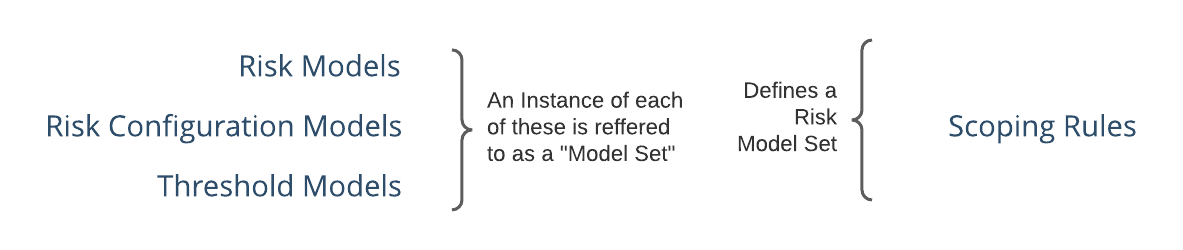
A combination of one of each of the above collectively makes up a "Risk Model Set".
- Scoping Rules - Scoping Rules allow for "Risk Model Sets" to be created.
Risk Model
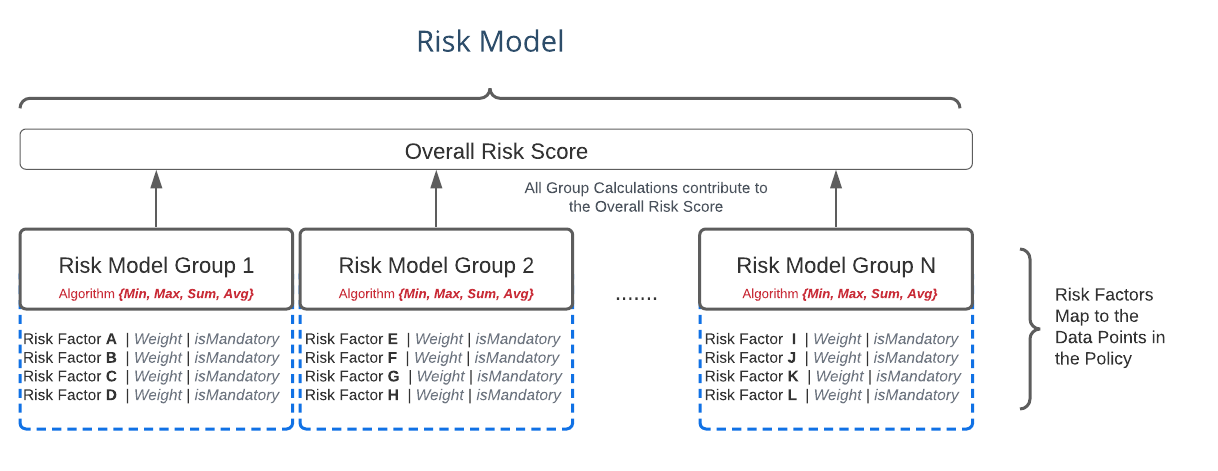
Inside the Risk Model Config - Users can add new risk factor "Groups", A Group is a collection of Risk Factors. Creating a new group the following properties are applied.
- Name : The Name of the Data Point from the Policy
- Algorithm : Selection between "Min, Max, Sum, Avg". This is how the Score from the group is calculated.
A Risk Factor is just a Data Point (from the policy) which is added to a group. Each risk Factor has a "Weight" which will be applied to the Algorithm from the group and a toggle which dictates that risk factor is mandatory or not. When all the Mandatory fields in a group are populated then a calculated value from the group contributes to the overall Risk Score, as illustrated below.
All the configured Risk Models can be retrieved via the API.
Further Reading
There is further documentation covering the Functional Aspects of Risk Configuration available in the FenX User Guides Risk Functionality Overview
Risk Calculation Test
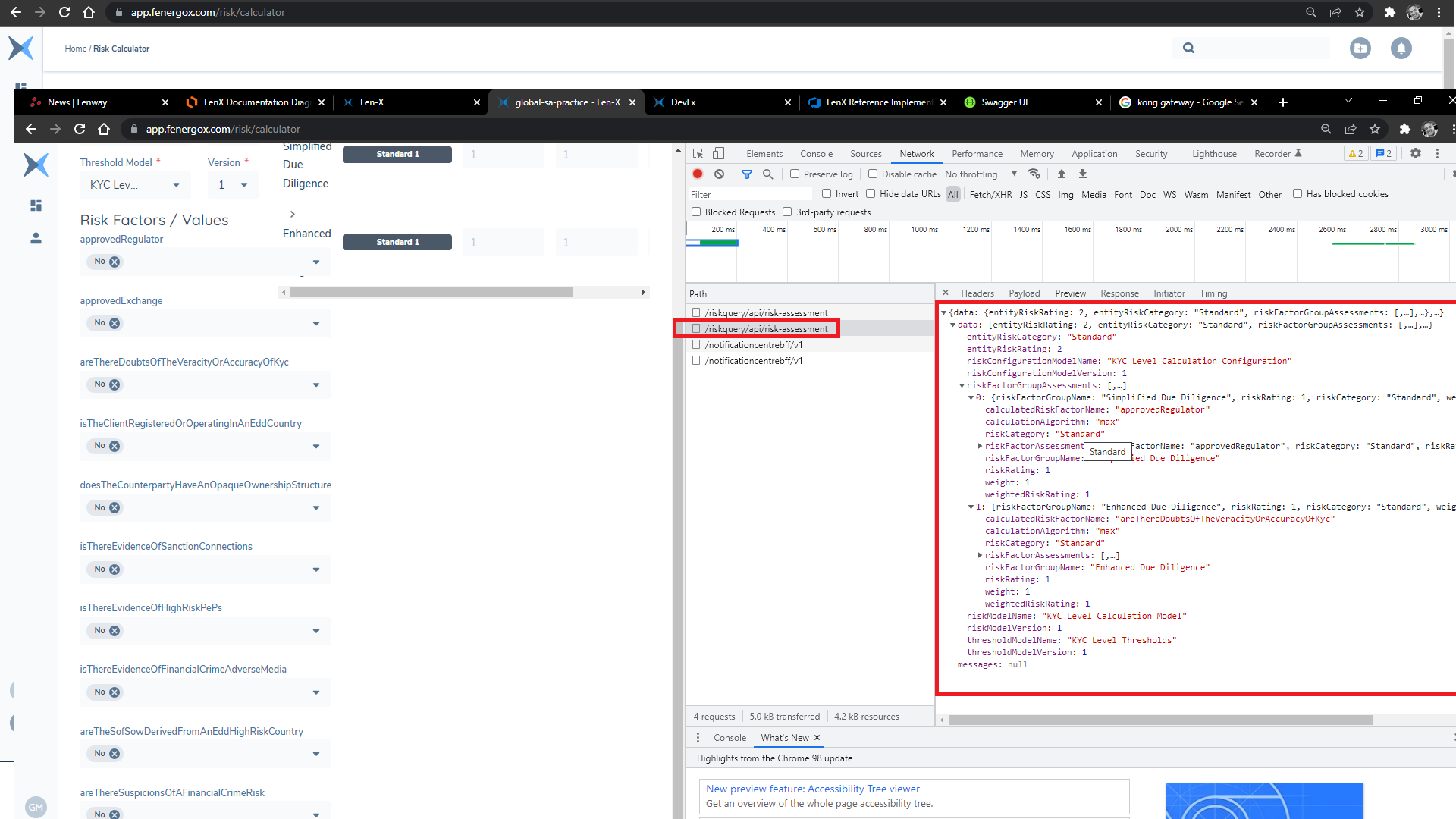
The FenX User Interface has a Risk Calculator where the Risk Model, Configuration Model and Threshold can be selected and tested. The UI will display the Risk Factors and allow a Risk Calculation to be simulated.
As a developer this screen can be used to inspect the API calls using the developer tools to get samples of the Risk Calculation API calls
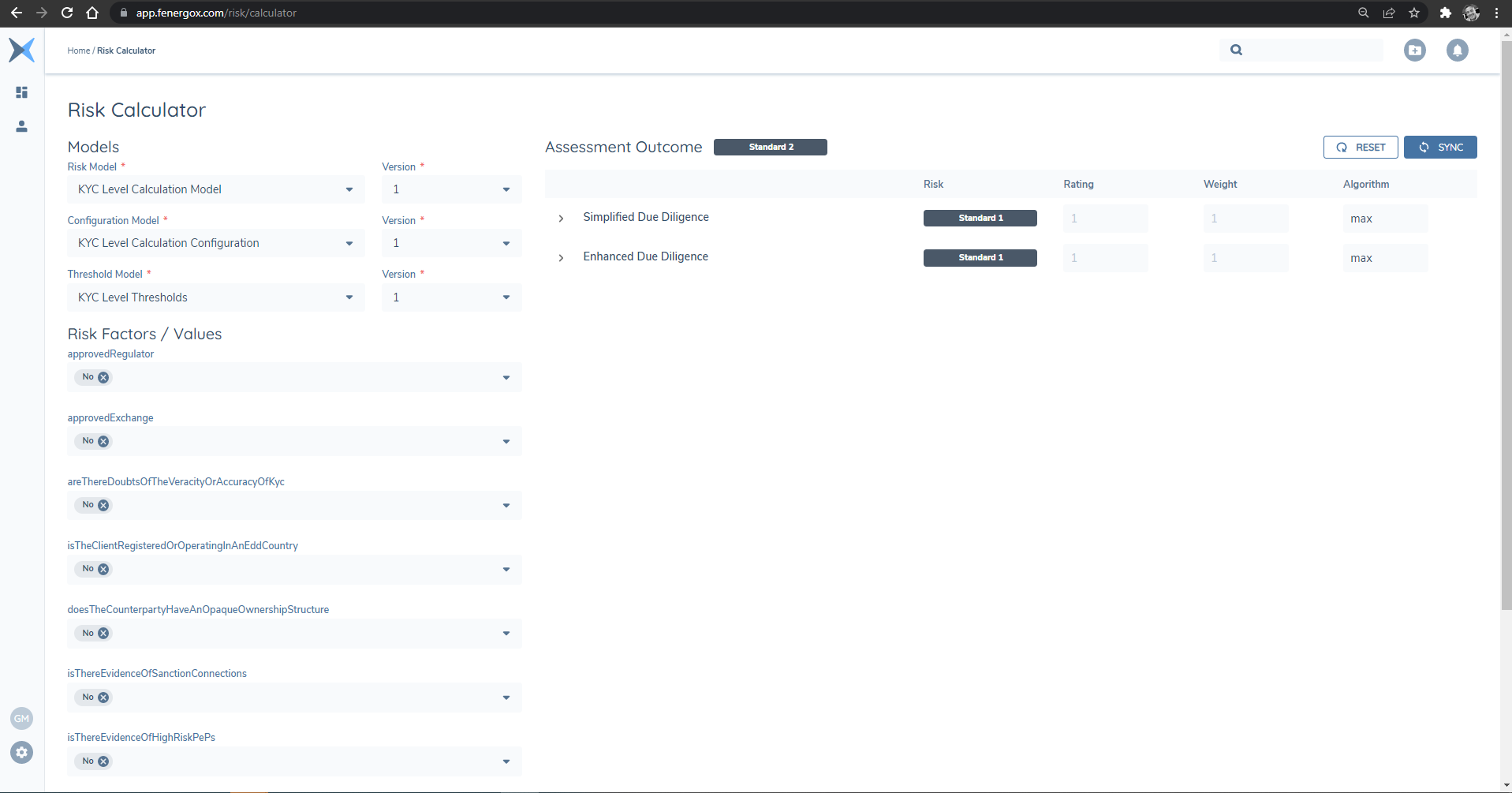
The HTTP POST method can be intercepted using the developer tools and the used in Postman.