Deployment
Integration Flows adheres to standard Software Development Life Cycle (SDLC) like other code you produce. Similar to any integration built outside of Fenergo, integrations built using Integration Flows will typically be first designed, configured, and tested in your Dev tenant. Once testing is complete and the integration is ready to deploy to the next environment (e.g. UAT and Production) you can use Configuration Exchange to publish the configuration and dependencies.
Promoting Flows
After you've opened Configuration Exchange in your target tenant (e.g. UAT) and connected to your source tenant (Dev) you'll be presented with a list of Application Domains, including Integration Flows. Once selected you'll be see a list of published Flows available for promotion.
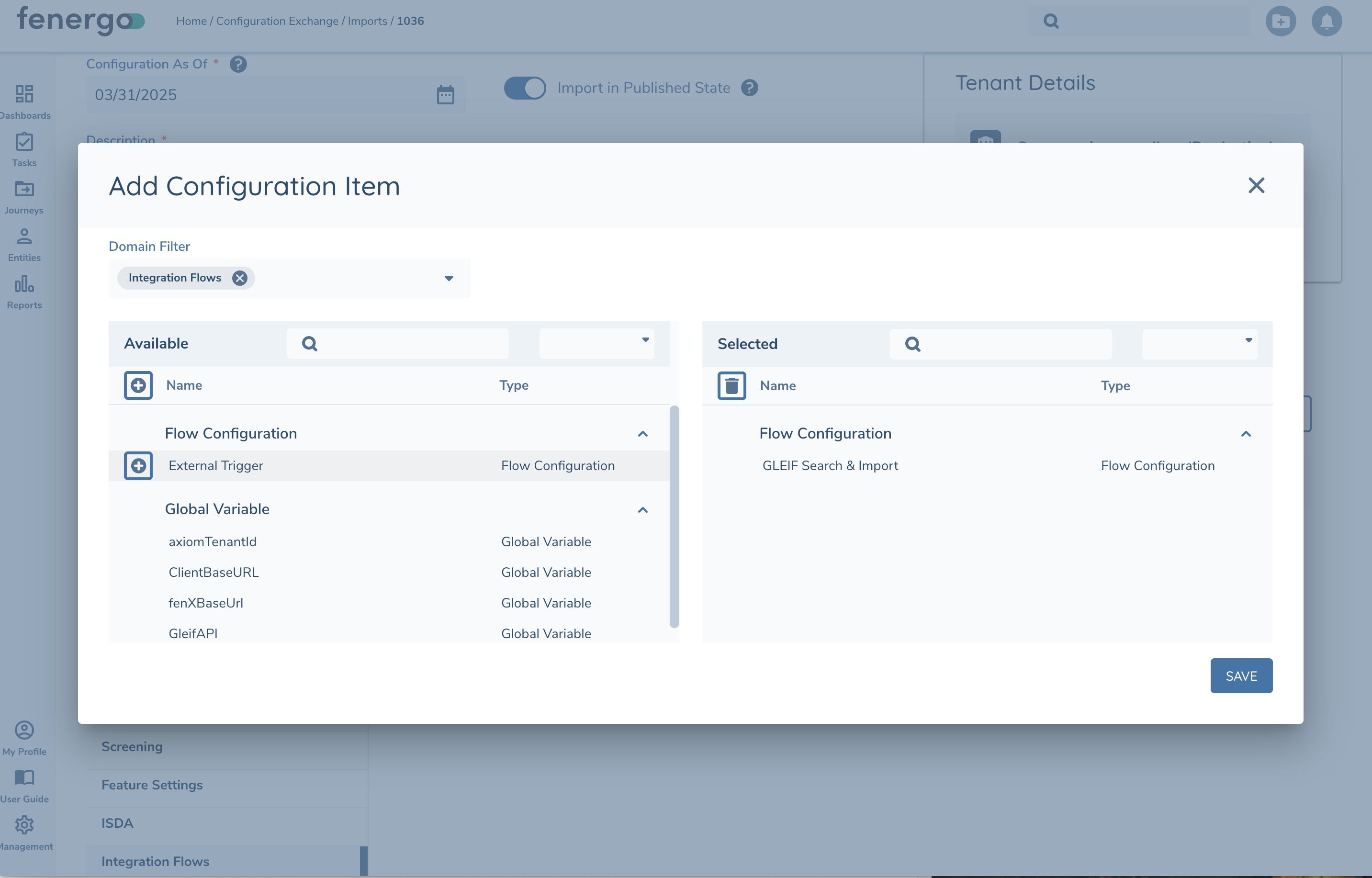
Select the desired Flow and Configuration Exchange will automatically include all dependencies:
- Flows
- Variables (Flow, Global)
- Schemas
- Mappings
Global Variables are protected from being overwritten by Config Exchange. When a global variable is first promoted to a new tenant it will be seeded with the value from the lower tenant. Once created Config Exchange will not override it's value.
Authentication configuration such as External Authentication and Custom Authentication for Flows API are not included as it is expected these will be specific to each environment.
When promoting a Journey, dependent Flows will not be detected automatically. Remember to publish any Flows first.
Permissions
Anyone using Configuration Exchange to promote Integration Flows will require the following Security Permissions in the target tenant:
- Configuration Edit
- Configuration Edit
- Configuration Approve
- Mapping Edit
Traceability
Integration Flows promoted using Configuration Exchange will be created in the published status and include typical release manifest details including: source environment, version, Configuration Exchange Import Id, and UserId who ran the release. This is not currently visible in the Flow Studio UI but will be added in time.
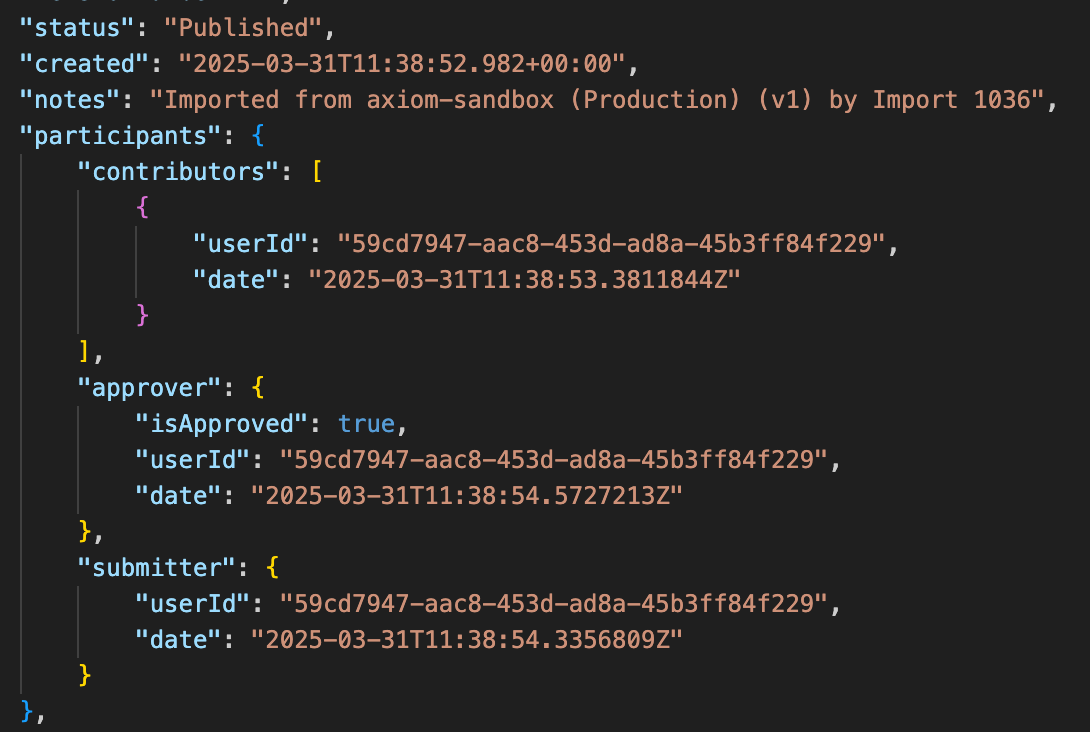
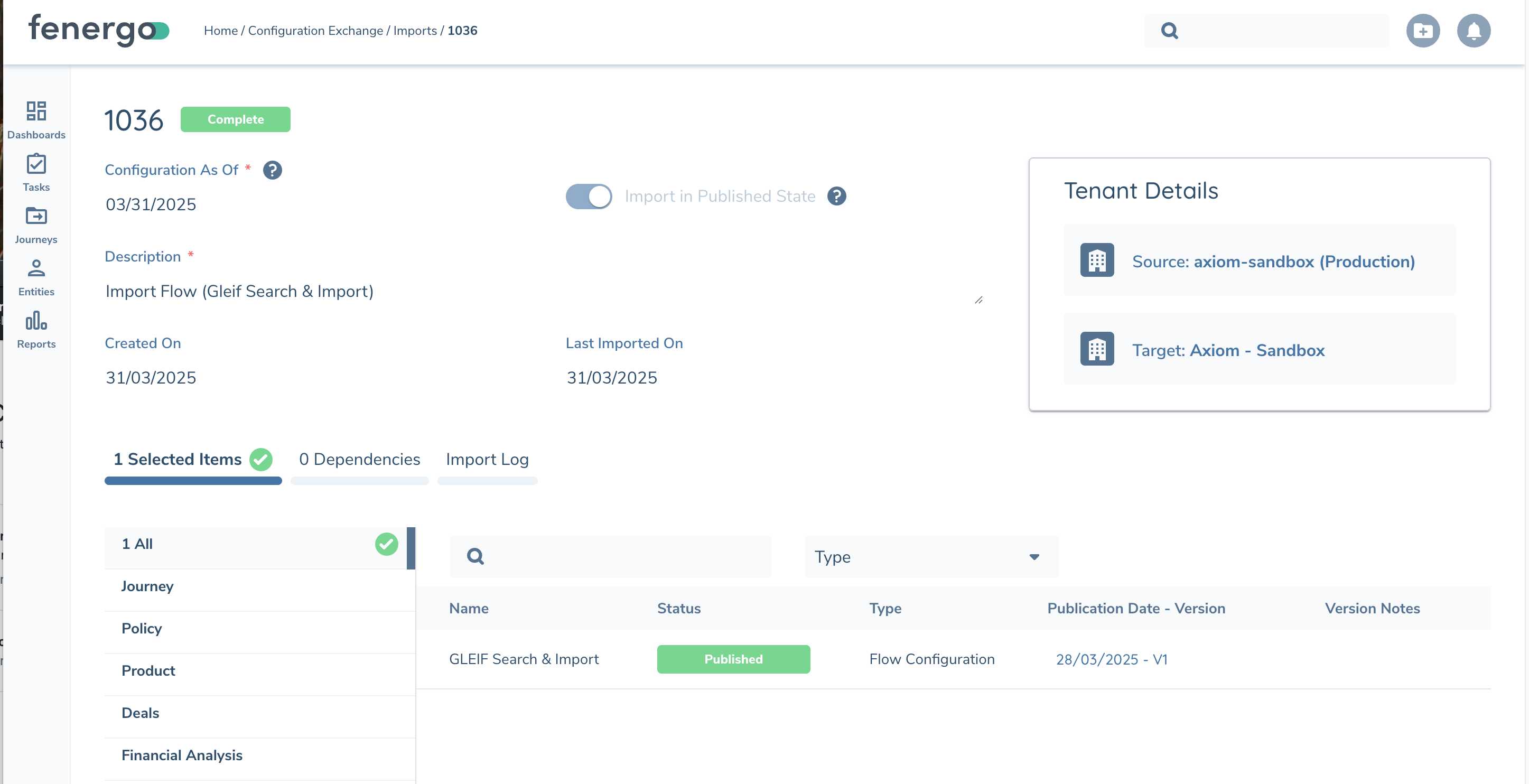
As a Flow is promoted from DEV -> UAT -> Production the Notes field will be appended each deployment to provide the Chain of Custody across environments. If a Flow is ever edited then the notes field will be cleared and audit details will show the user who made the change.