Journey
If you want to integrate your Flow with a running Journey, for example to import Entity & Associations Data to your Master Data Management (MDM) system at the start of a Client Onboarding Journey or you publish data at the end of it, the Journey Initiator is how you'd incorporate that integration into your Business Process being modelled in the Journey.
Journey Builder
Integrate your Flow into your Journey's design using the Journey Builder and the "Integration Flow" Task Type. In the task configuration you'll see a list of published Flows available in your Tenant.
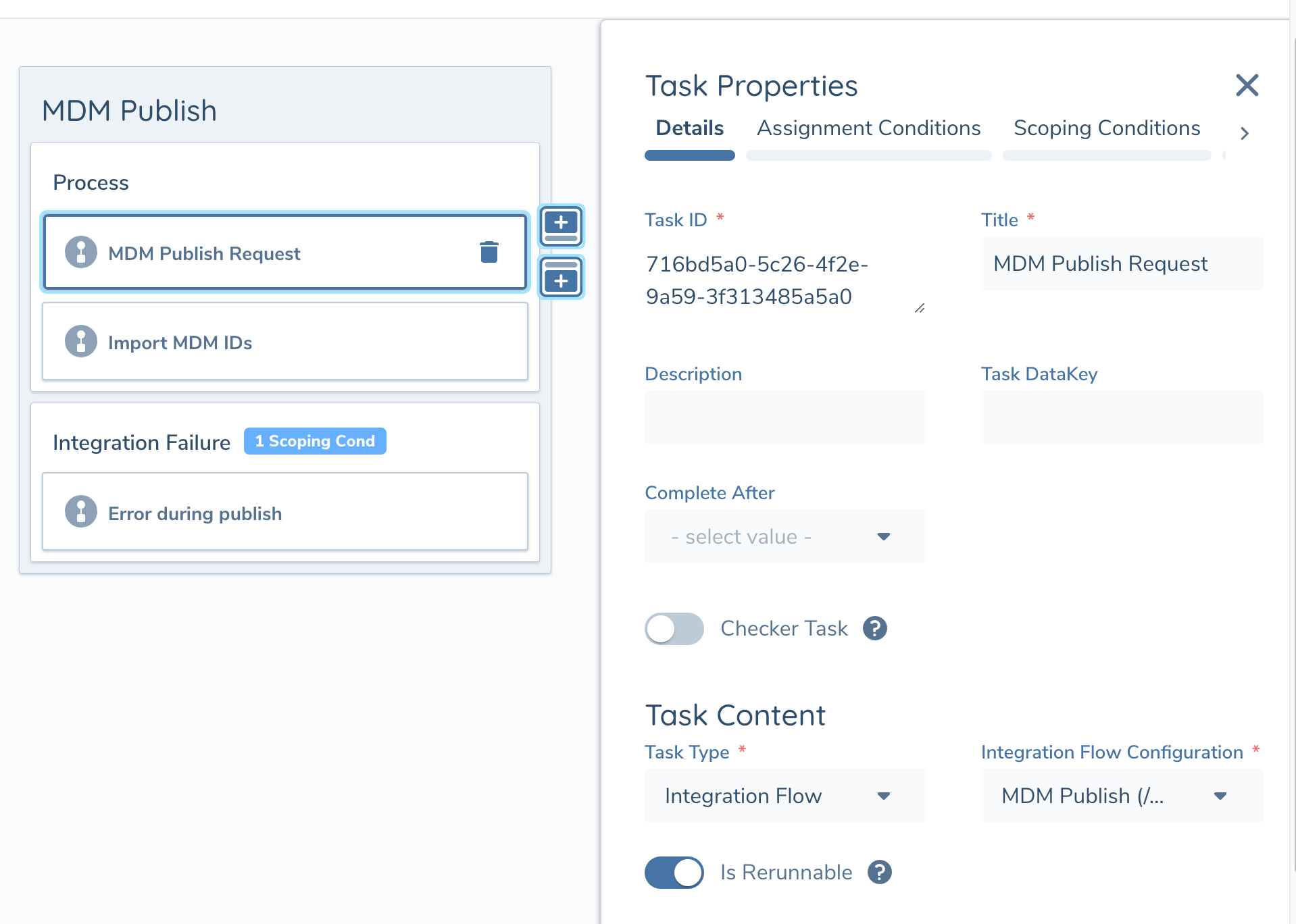
Only Flows that have been published will be visible in the drop-down. If you have just created a new Flow that's still in "Draft" version, you will need to publish it before you can reference it in Journey Builder
Running Flows within a Journey
When the Integration Flow task triggers the user will see the following while the Flow executes.
| Flow Execution Status | Description and Data Type |
|---|---|
| In Progresss | An indicator shows the task is in progress while the Flow Execution runs in the background. The task will not be navagable while it is running. 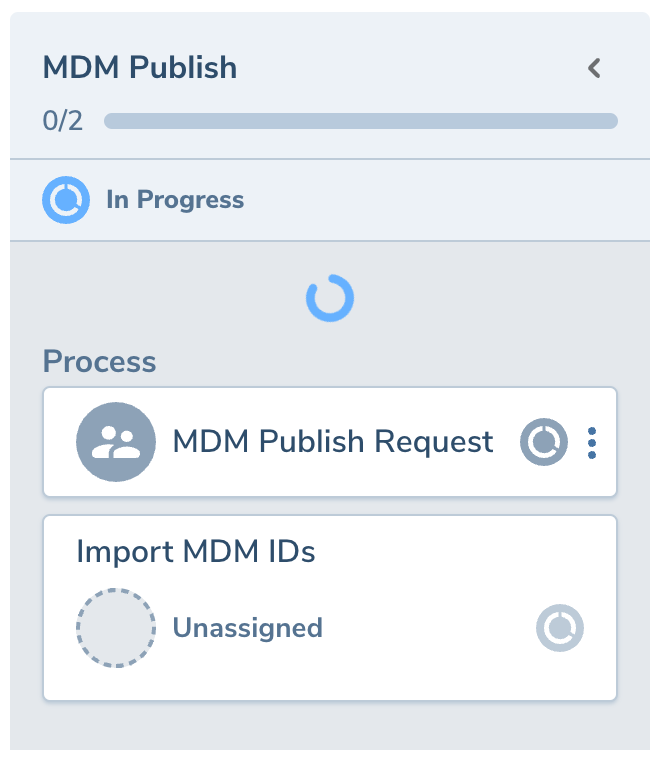 |
| In Progresss (Async Operations) | When a Flow Execution reaches a task that runs an asynchronous operation the execution will pause until the async response is received. While paused the journey task will enter the "In Progress" status and the task will be navagable. 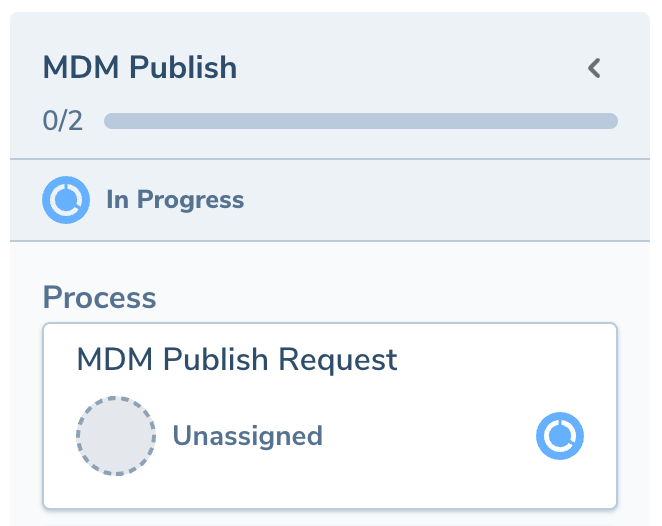 In the task view the user will see the Flow Execution is still running and the retry button will appear disabled (see below). The task will remain in the "In Progress" status until execution completes, at which point if successful the task will auto-complete. |
| Completed Successfully | If the Flow Execution completes successfully the task will auto-complete. 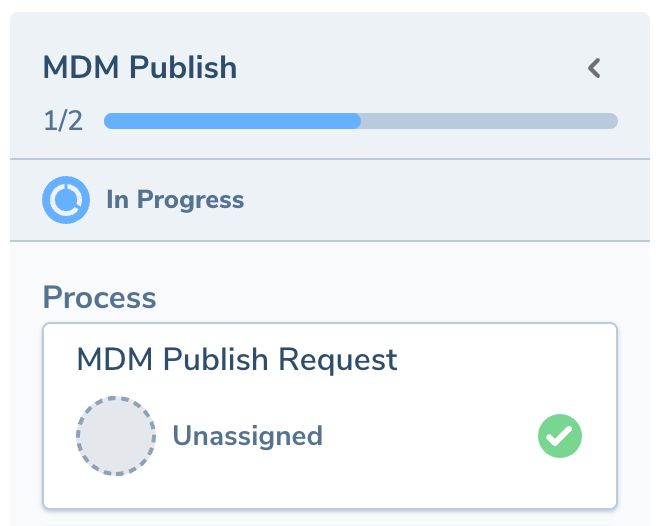 |
| Completed with Error | If the Flow Execution fails the task will appear "in progress" and the user can open it to review the details. |
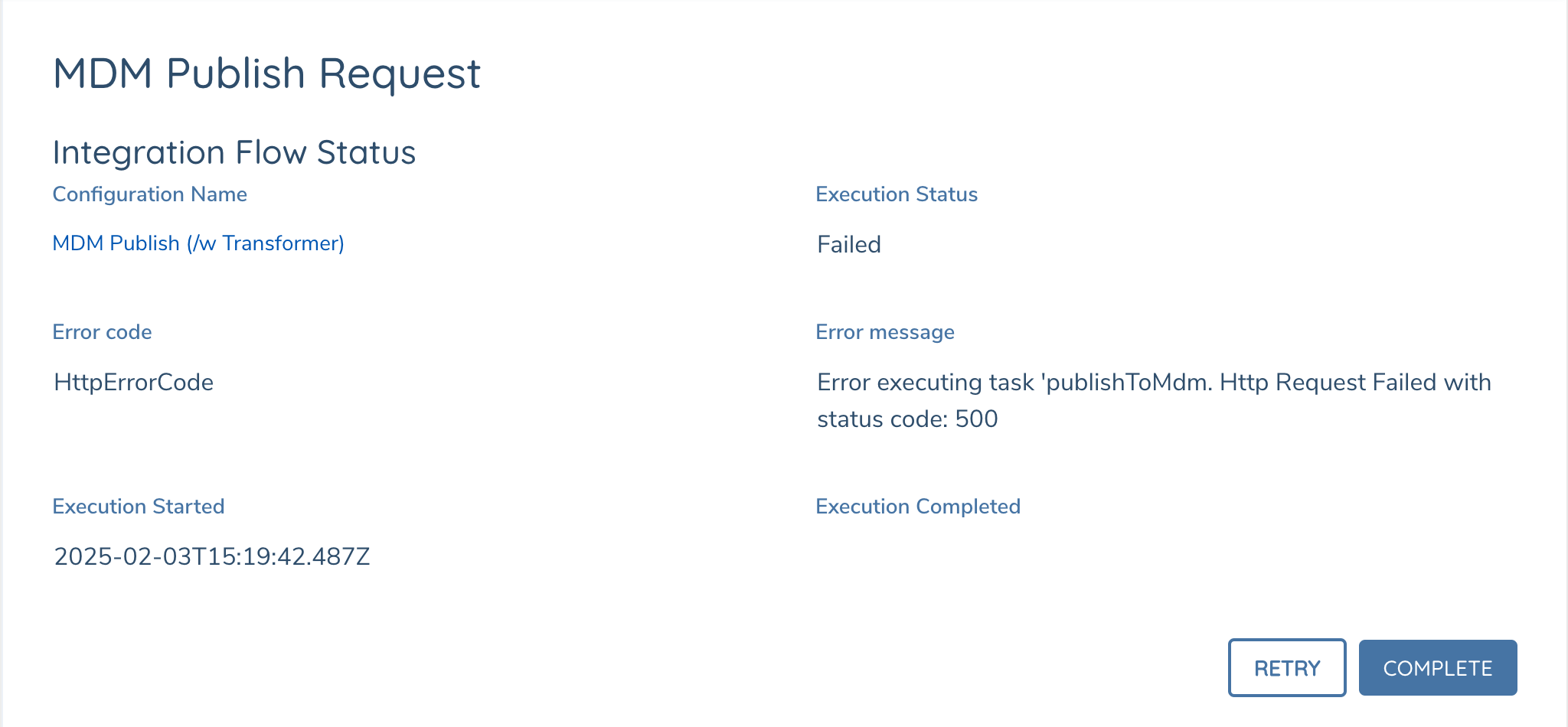
If the Flow Execution fails the task will appear as "in progress" in the Journey Overview where Users can navigate into it and view the Error Code and Message. Users with appropriate permissions will be able to Retry the Execution, if "Is Rerunnable" was enabled in Task Configuration, and/or Close the Task.
Runtime Details
The Execution.Request object will store the following data at runtime:
| Execution Variables | Description and Data Type |
|---|---|
| journeyId | Guid. Unique Identifier of the running Journey. |
| taskId | Guid. Unique Identifier of the Task in Journey for the running Flow |
| entityId | Guid. Unique Identifier of the lead Entity of the running Journey |
| entityDraftId | Guid. Unique Identifier for the Entity Draft of the running journey |
| serviceName | String. Hardcoded to "integrationsDataPublish" |