Configuring the New Entity and New Request Workflows
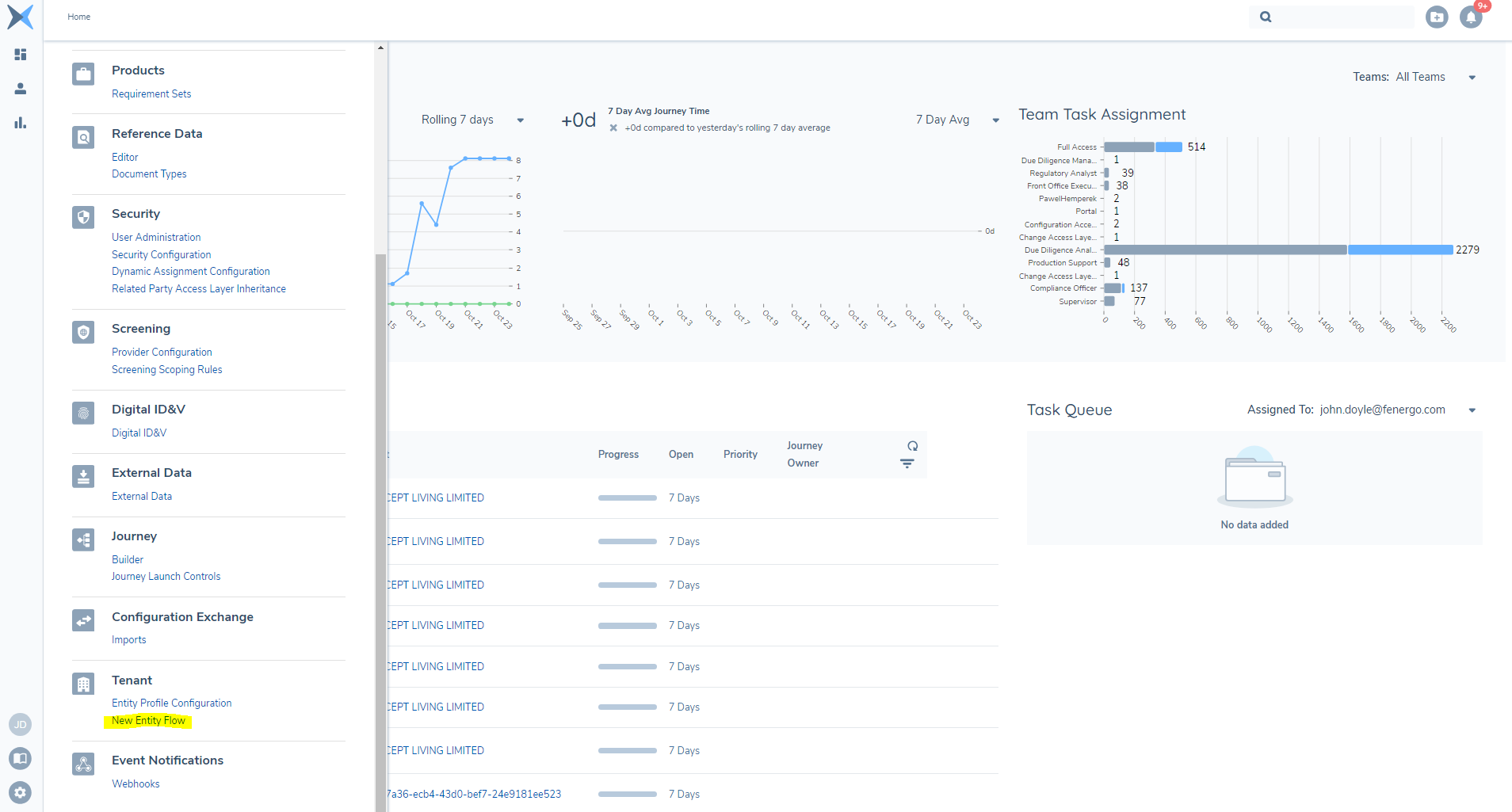
In order to configure the New Entity/New Request flows, a configuration page can be accessed by clicking the Management button, and under the Tenant section, clicking on the New Entity Flow hyperlink.
This page is managed through permissions and the user will need to have New Entity Configuration Access and New Entity Configuration Edit permissions assigned in the Security Configuration section
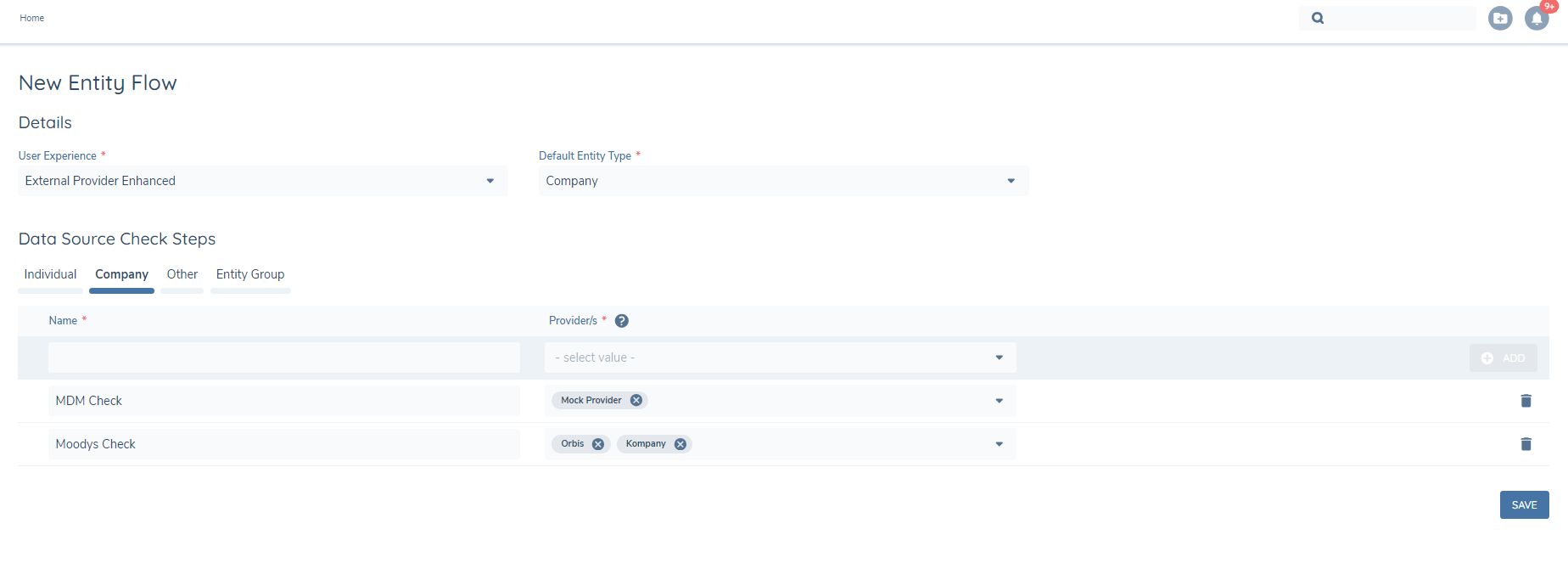
Upon entering the New Entity Flow configuration screen, the configurator is presented with two dropdown fields.
- User Experience: Allows the Configurator to select which experience they want to use when creating new entities.
- Default Entity Type: Allows the configurator to select which of the entity types the flow will default to.

If the configurator selects the Standard User Experience then there is no further configuration required.
If the configurator selects the External Provider Enhanced User Experience then further configuration is available.
With the Enhanced experience the configurator can add in extra steps in the flow to enable the searching of external systems.
The Standard flow consists of:
Client Details > Duplicate Search > Confirmation
The configurator can now add in the extra steps between the Duplicate Search and Confirmation sections by configuring the Data Source Check Steps for each Entity Type. The configurator can configure a Name for the step, to appear in the flow and select a Provider from the enabled lists of external data providers, as the external system to be searched.
Once selected the configurator can then click the Add button to add the steps to the flow followed by the Save button to save the configuration.