Configuring Agency Requests
Configuring Agency Onboarding and Trade Requests
This process will support
- Onboarding of new to business parties under an agency relationship.
- Onboarding of a new agency relationship for existing system parties.
- Request for additional products and services for parties with an existing agency relationship with a specific agent.
Configuration teams will have flexibility to configure to their specific process requirements. However to ensure the correct agency data model is established, there are some configuration principles that must be adhered to.
- Onboarding requests should be initiated by a request journey at agent level (This can be configured as standard, with the relevant journey scoping rules as required )
- The request process for Agency onboarding must be configured with specific sequence of journey tasks, available in Journey hub under the Agency task category.
| Task Category | Task Type | Description |
|---|---|---|
| Agency | Add Parties to Request | A task that allows selection of new and existing entities for onboarding under an agency relationship. The task supports the selection of entity type = Company |
| Agency | Agency Request Details | A task that supports the data capture requirements for an agent request to onboard one or more management relationships. Supports the enrichment of entity and managed relationship details, as well as initiation of product requests per entity in scope. |
| Agency | Agency UP Journey Launchpad | A task that will automatically initiate journeys for related parties with a underlying principal relationship to the main entity of the agent request journey if they are in scope of the agent request. The task will allow users to configure a single journey type to be triggered for all related parties in scope. |
| Agency | Agency Agent Journey Launchpad | A task that will automatically initiate a journey specific journey type (configurable) for the main entity of the agent request journey. The task will propagate relevant data to this journey, including entity data for the agent, managed products under request in the agent request. |
| Agency | Agency Request Journey Checkpoint | A task that provides the users with a view of all journeys launched by the Agency UP/Agent Journey Launchpad tasks, and blocks journey completion until all launched journeys have been completed or cancelled. |
When configured in the specific sequence listed above, these tasks can support the correct data capture and data modeling for agency relationships.
Example journey configuration
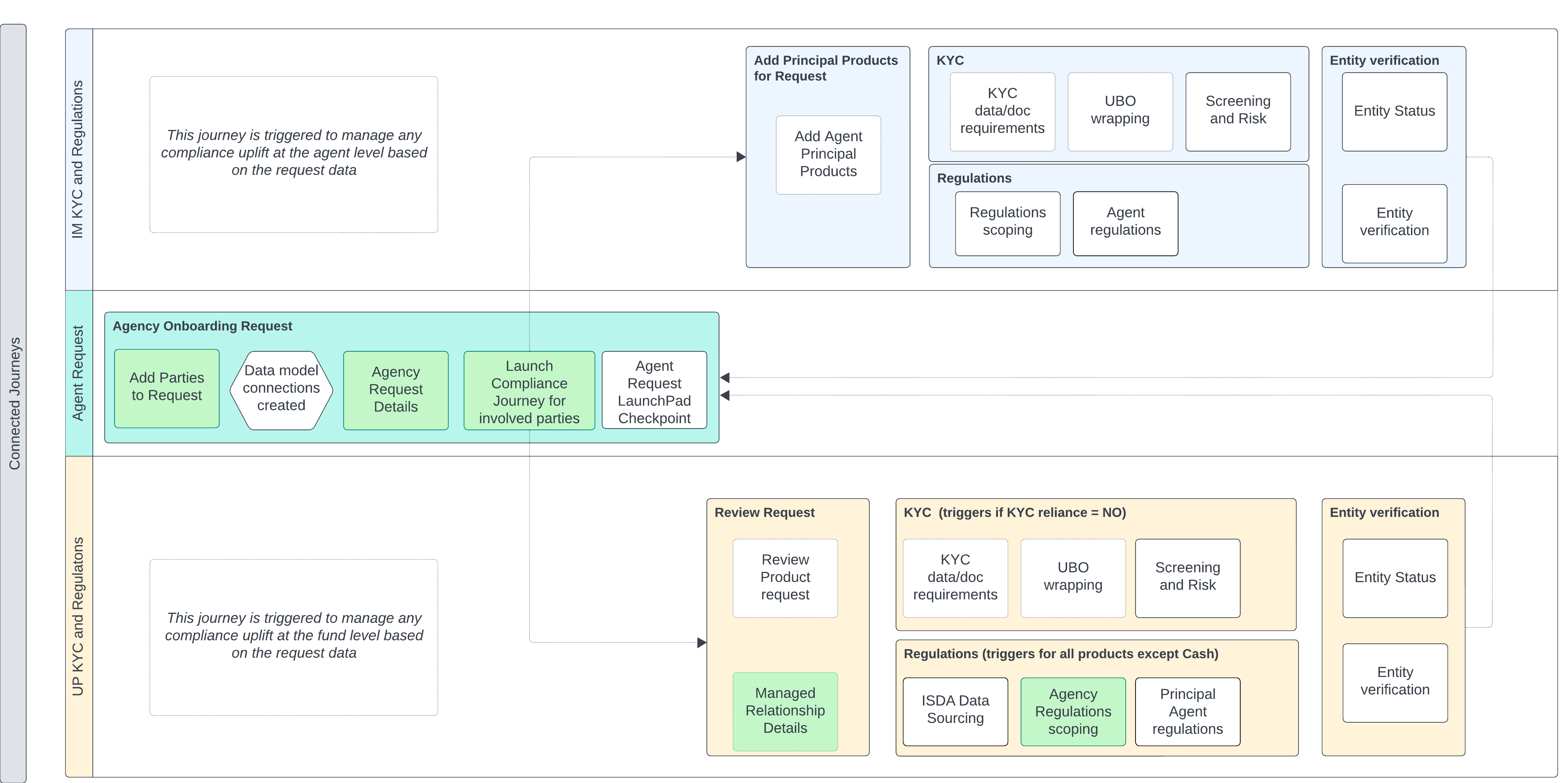
Agency Task Configuration Guidance
Add Parties to request task:
The 'Add Parties to Request' task allows users to create, or select, system parties of entity type 'Company', and link them to the request The following data display criteria can be configured
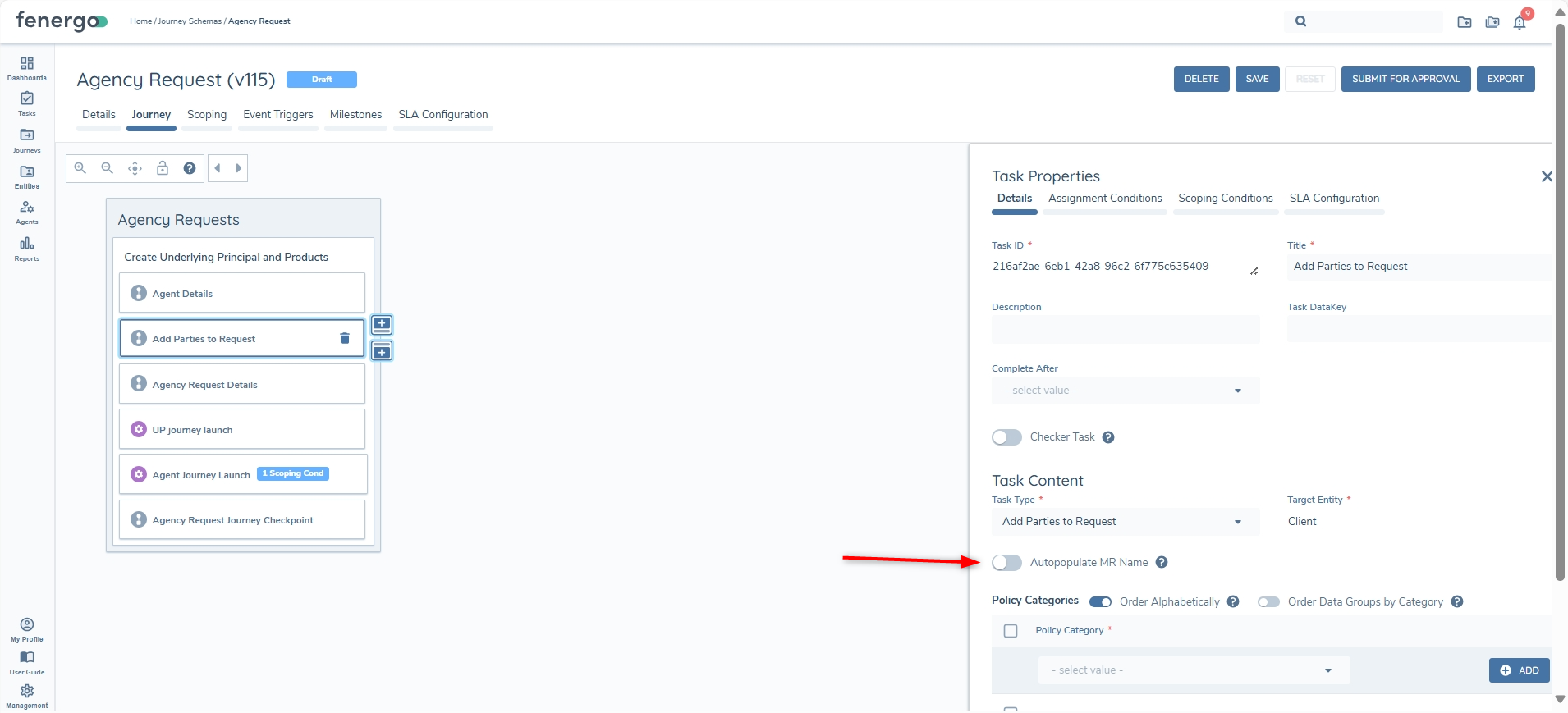
- Autopopulate MR Name - optional - toggled off by default. When enabled (with a legalEntityName requirement configured for the MR), the system will automatically generate a legalEntityName value for nameless Managed Relationships in scope for this task (new/updated). The value can be overwritten if you have a configured legalEntityName requirement in the 'Agency Request Details' or 'Managed Relationship Details' tasks. The format for the automatic name value is "MR - [Agent Legal Entity Name - UP Legal Entity Name] (this is not configurable).
- Duplicate search criteria - based on indexable fields in the 'Basic Details' category of global policy
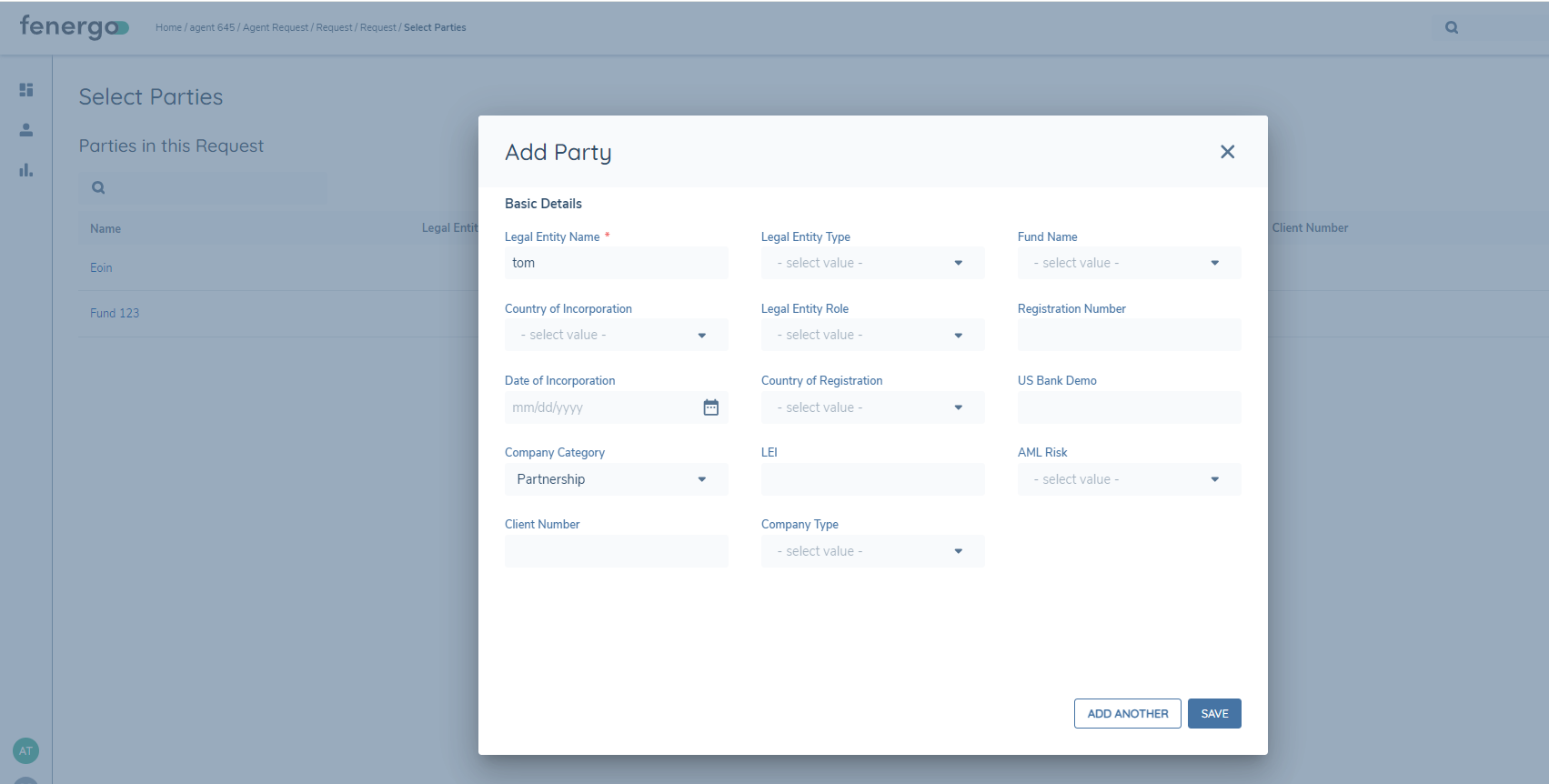
- Preliminary data capture requirements for new party creation - Preliminary data requirements for party creation must include all data requirements in the 'Basic Details' category of global policy. Additional categories can be configured to display on the 'Add Party' screen, if required
Duplicate Search - Reference Data
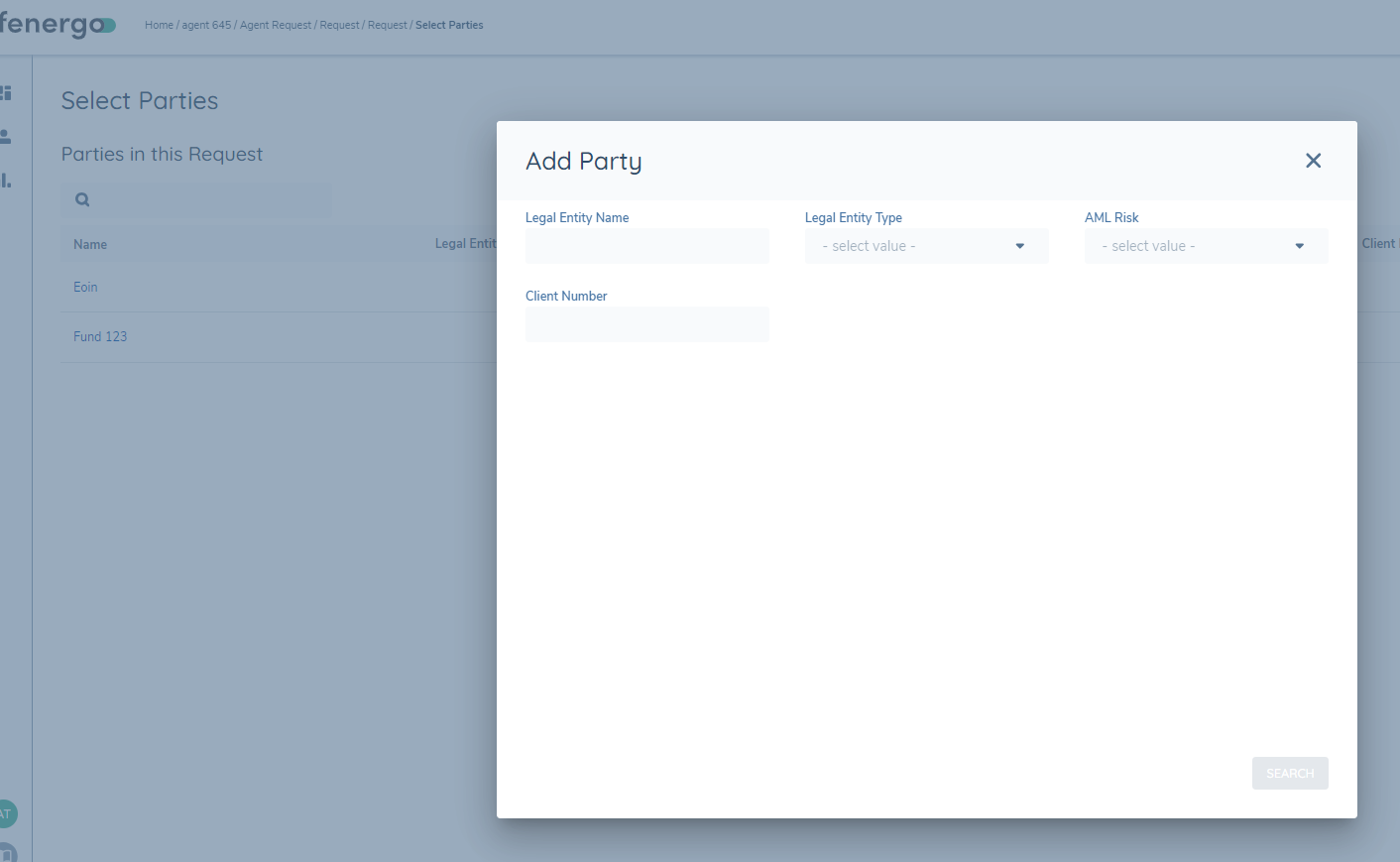
Add New Party - reference data categories configuration
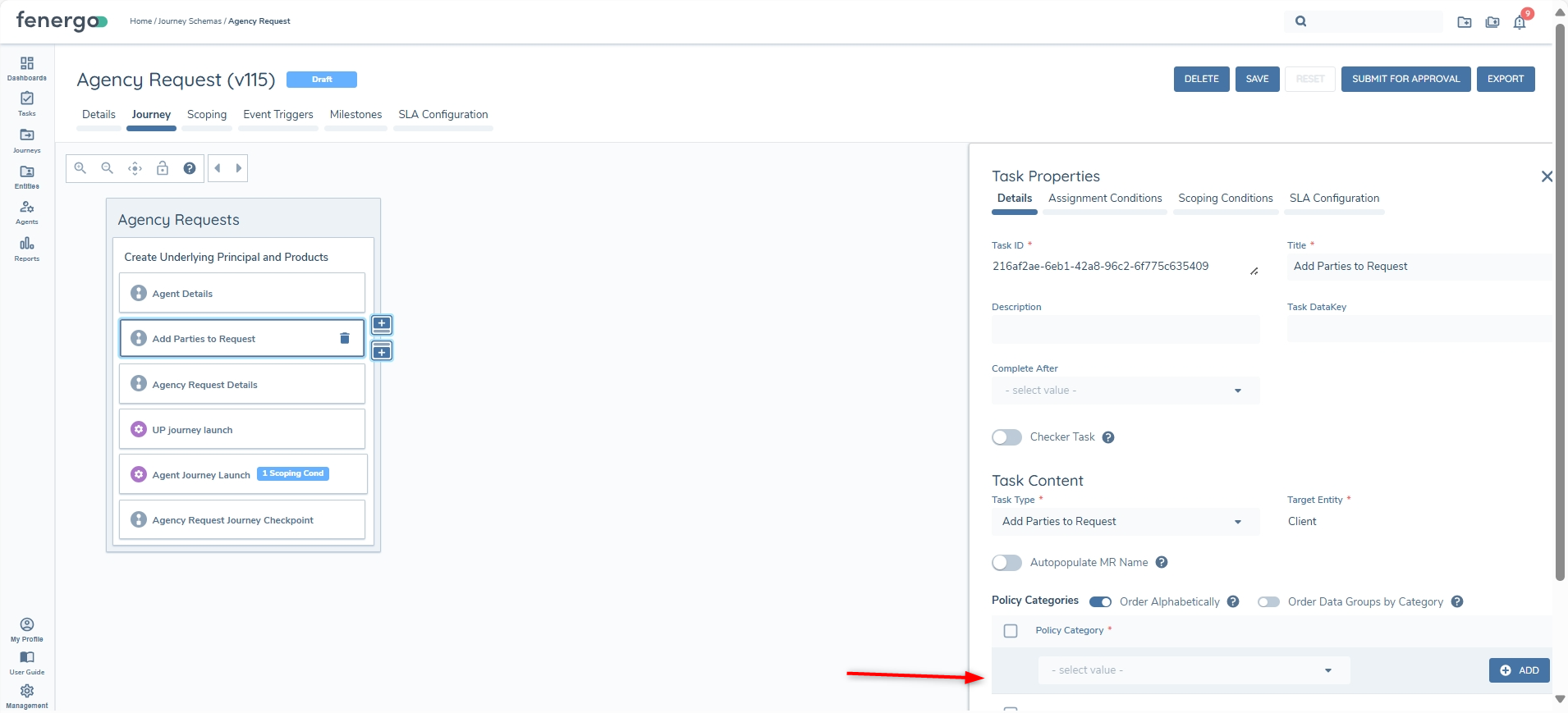
Add New Party - reference data categories display
Add New Party - Automatic MR Name toggle
Agency Request Details task:
The' Agency Request Details task' enables users to enter initial request data for one or more underlying principals, including entity data, relationship data and products. Users can configure the data requirements for the underlying principals, managed relationships and products by selecting the requirements categories under the relevant entity in the task configuration panel. Users should select requirement categories from global policy for the relevant entities. Requirements categories from other policies are selectable and will show if the policies are in scope for the given entity.
If a selected requirement category includes a Search Text Field, directly or via a linked Data Group, the field will not currently render within the Products section of this task. Avoid configuring Search Text Fields for use in Agency Request Details until support is added in a future release.
Agency Request Details - reference data categories configuration
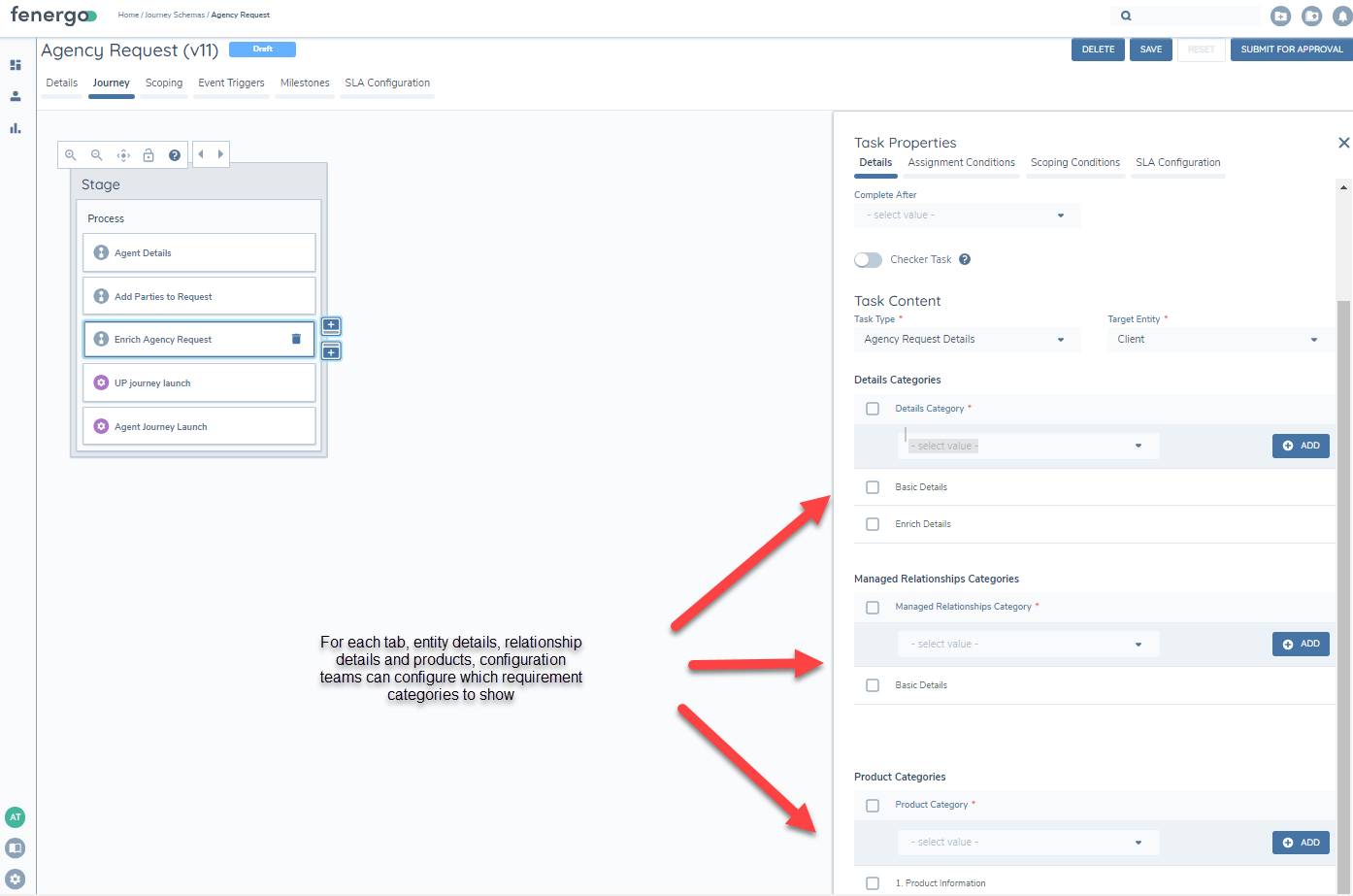
Agency Request Details - reference data categories display
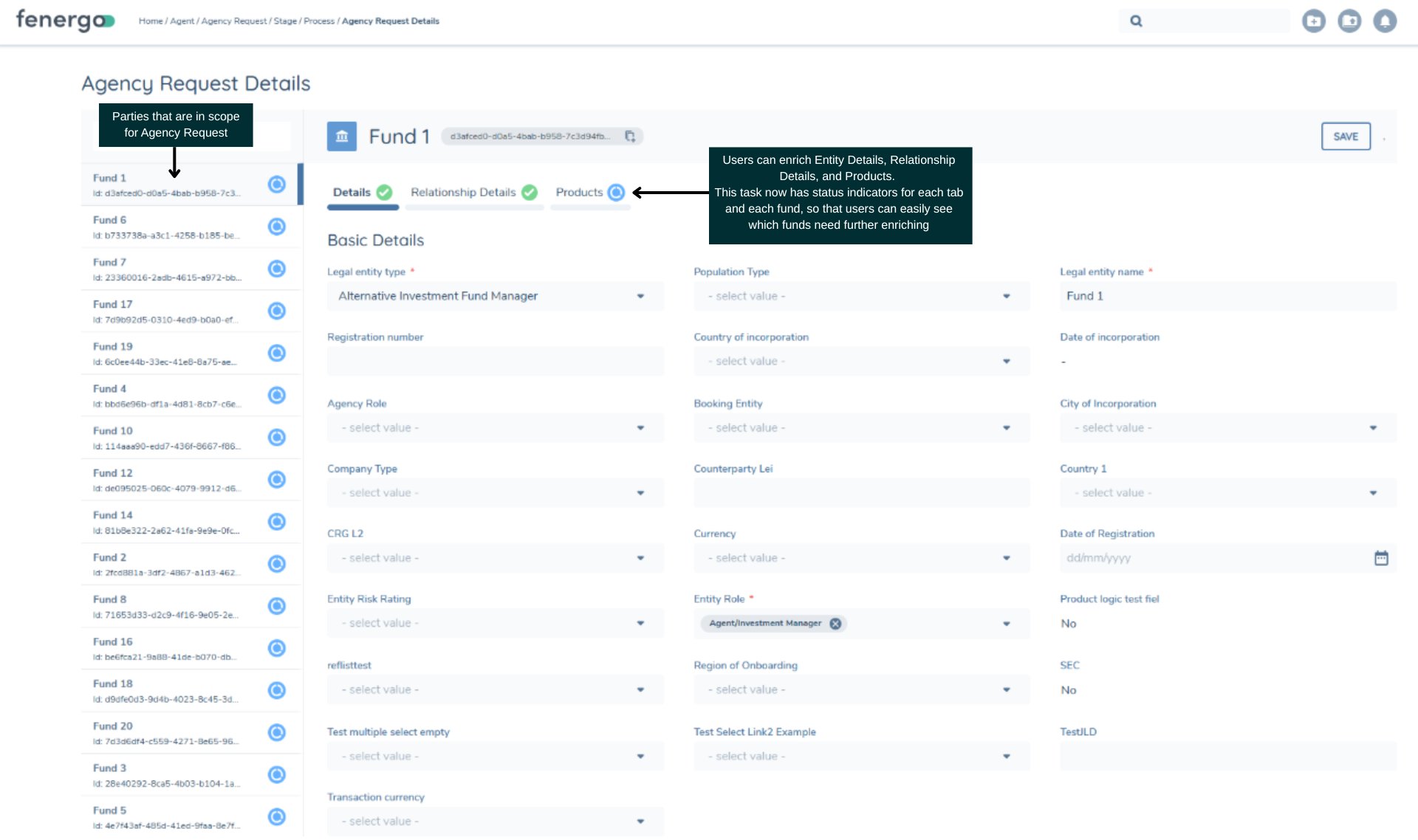
Agency Journey Launchpad Tasks:
These tasks will automatically initiate the relevant journeys to manage KYC, Regulations and other process uplifts for the underlying principals and agent involved in the agency request
These new tasks are specific to agency request and are available in journey hub under the Agency task category.
Agency UP Journey Launchpad
The Agency UP Journey Launchpad will enable the intiation of configured journey types for related parties with a underlying principal relationship to the principle entity of the agent request. It will propagate request data in draft to the triggered journey(s). This included all draft entity data for the agent, UP, relevant managed relationship, and products linked to the UP of the triggered journey.
Users can configure a single journey type to be triggered for all related parties in scope.
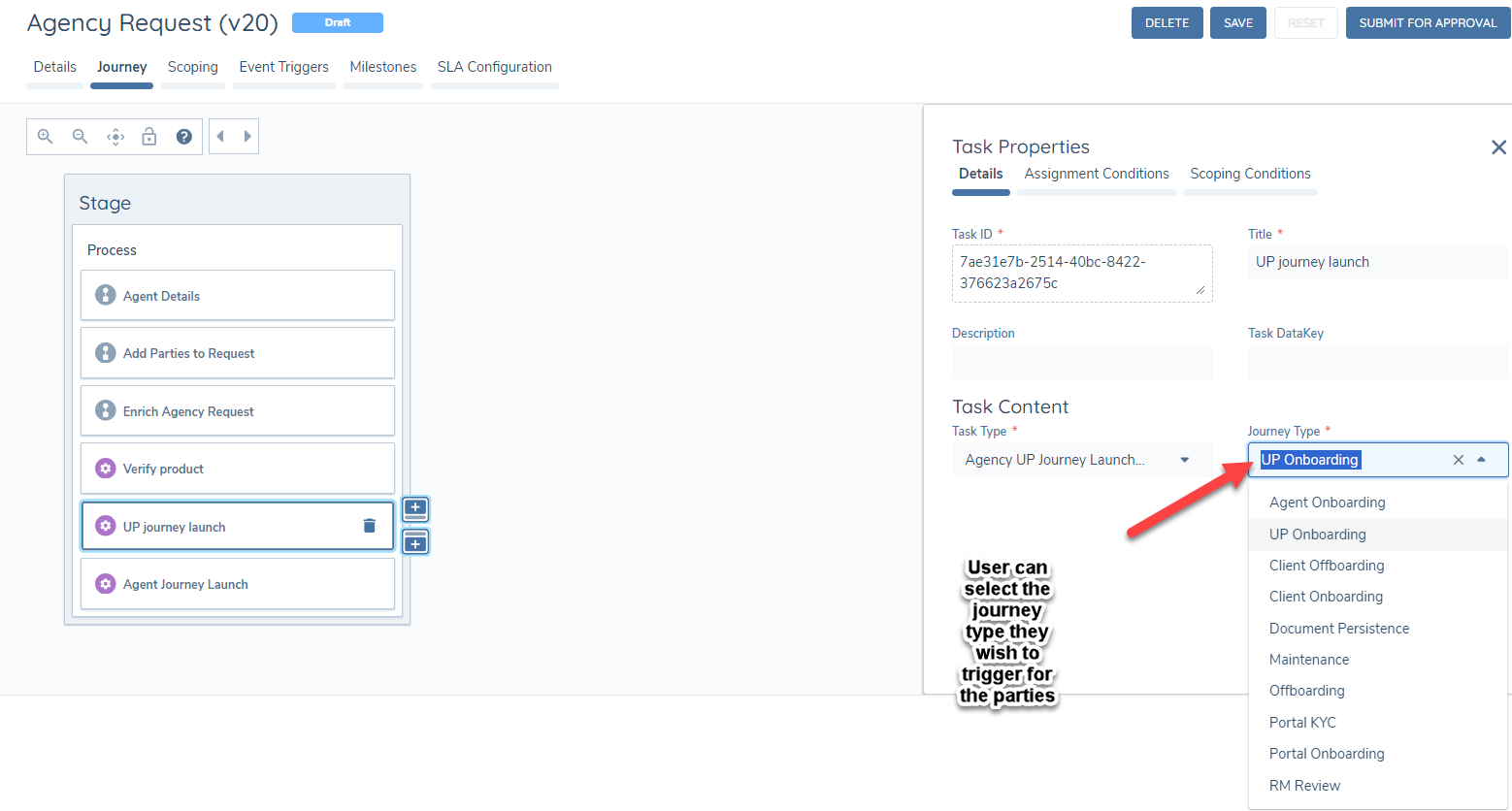
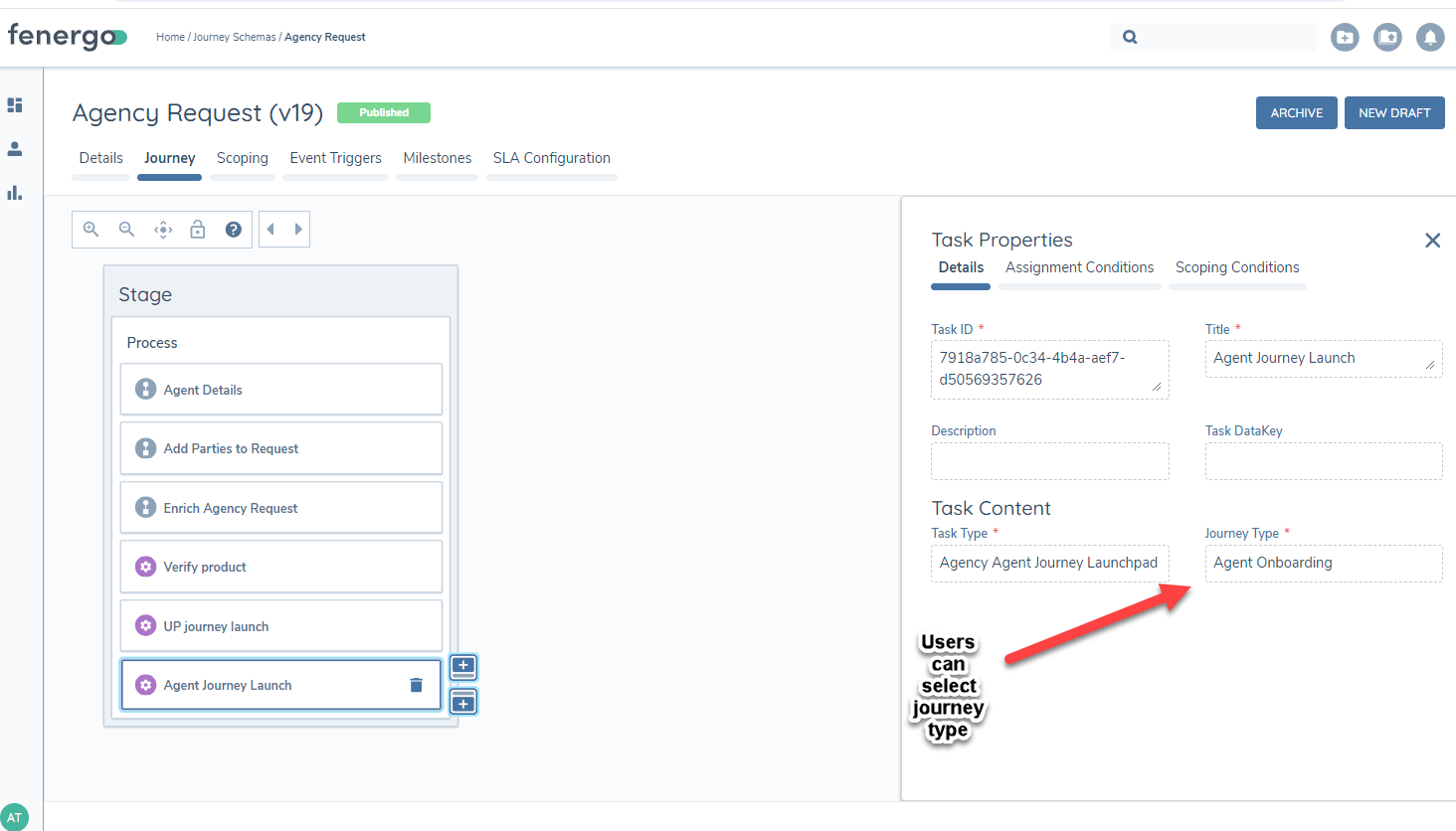
Agency Agent Journey Launchpad
The Agency Agent Journey Launchpad will enable the intiation of a configured journey type for the agent, the principle entity of the agent request. It will propagate request data in draft to the triggered journey. This includes all draft entity data for the agent, UP, relevant managed relationship, and products linked to the Agent.
Users can configure a single journey type to be triggered for the agent in scope.
Agency Request Journey Checkpoint
This task should be configured after the Agency UP/Agent Journey Launchpad tasks to support users monitoring the launched journeys. The task is available under the Agency Tasks category in the journey hub.
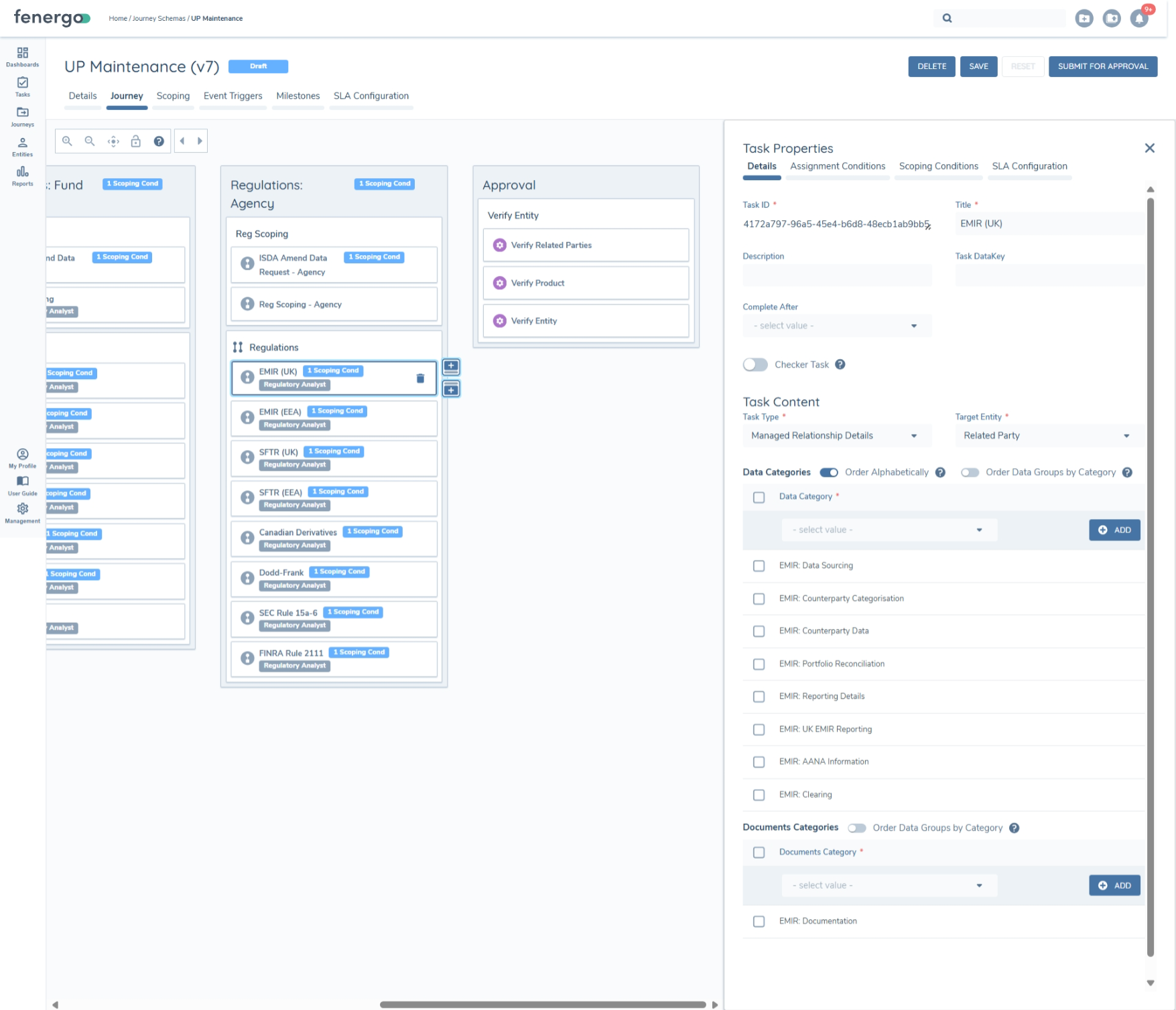
Managed Relationship Details
Managed Relationship Entities can be used to optionally capture data that is specific to the Agent-UP relationship and regulatory data that is sourced from the agent - this is particularly necessary for customers who support multi-managed funds.
Data and Documents for Managed Relationships can be maintained with a 'Managed Relationship Details' task within an Underlying Principal journey.
Managed Relationship entities are independently evaluated against policy scoping conditions. They will all be in-scope for Global policy, but will each need to qualify under the scoping conditions for other jurisdictions to apply. Scoping conditions can reference products associated with an MR to Product relationship, for example.
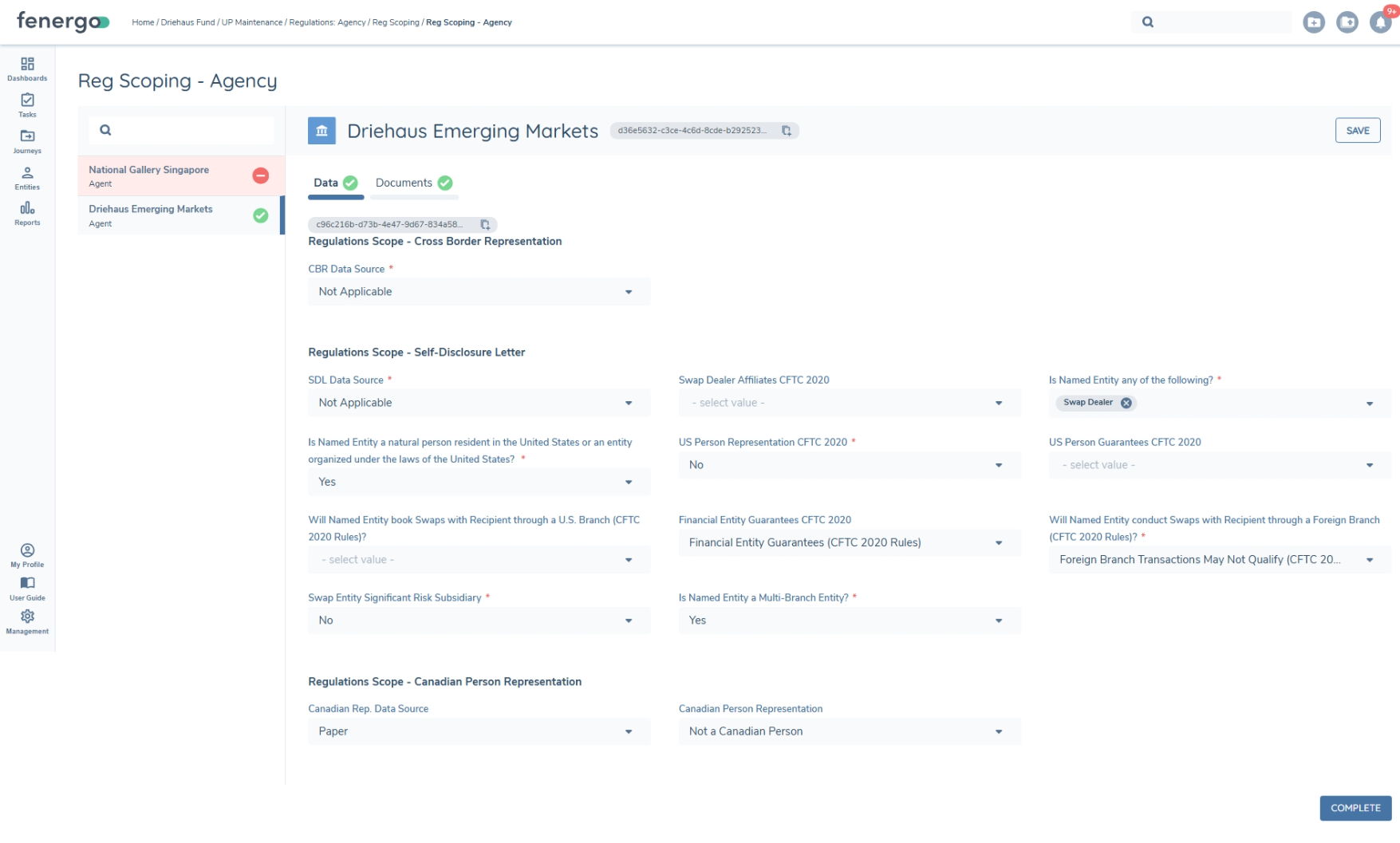
When using these tasks to collect regulatory data, multiple conditional instances of the task can be used to focus on each regulation separately. Where a fund has associations to multiple Managed Relationships, we can capture regulatory requirements for each MR they apply to (i.e only MR's that are in-scope for Dodd Frank policy will have requirements to fill in tasks configured with DF categories).
The task is always configured with Target Entity 'Related Party' and can be configured with categories for required data and document requirements.