Integration Hub
The Integration Hub highlights all Fenergo SaaS integration services in one location for easy access and provides screens for technical users to troubleshoot any issues related to these integrations in their tenant.
Includes support for Event Ingress, Integration Flows, and Event Notifications (Webhooks). Future support in planned for additional services such as External Data Adapters, Screening Providers, etc.
Overview Tab
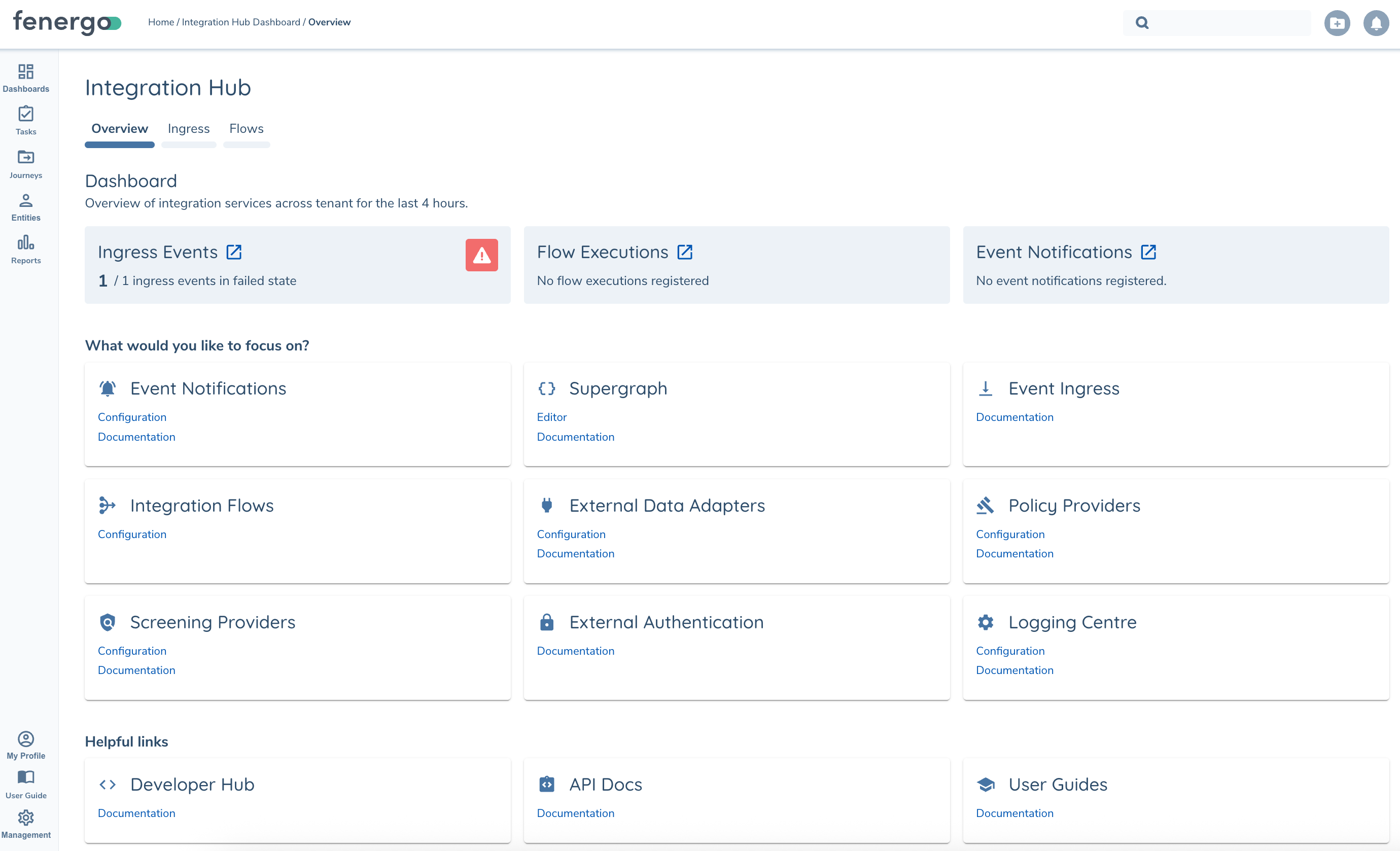
Dashboard Tiles at the top of the Overview page highlight services that require attention. For example in the screenshot below there is a failed Ingress Event in need of review.
Ingress Tab
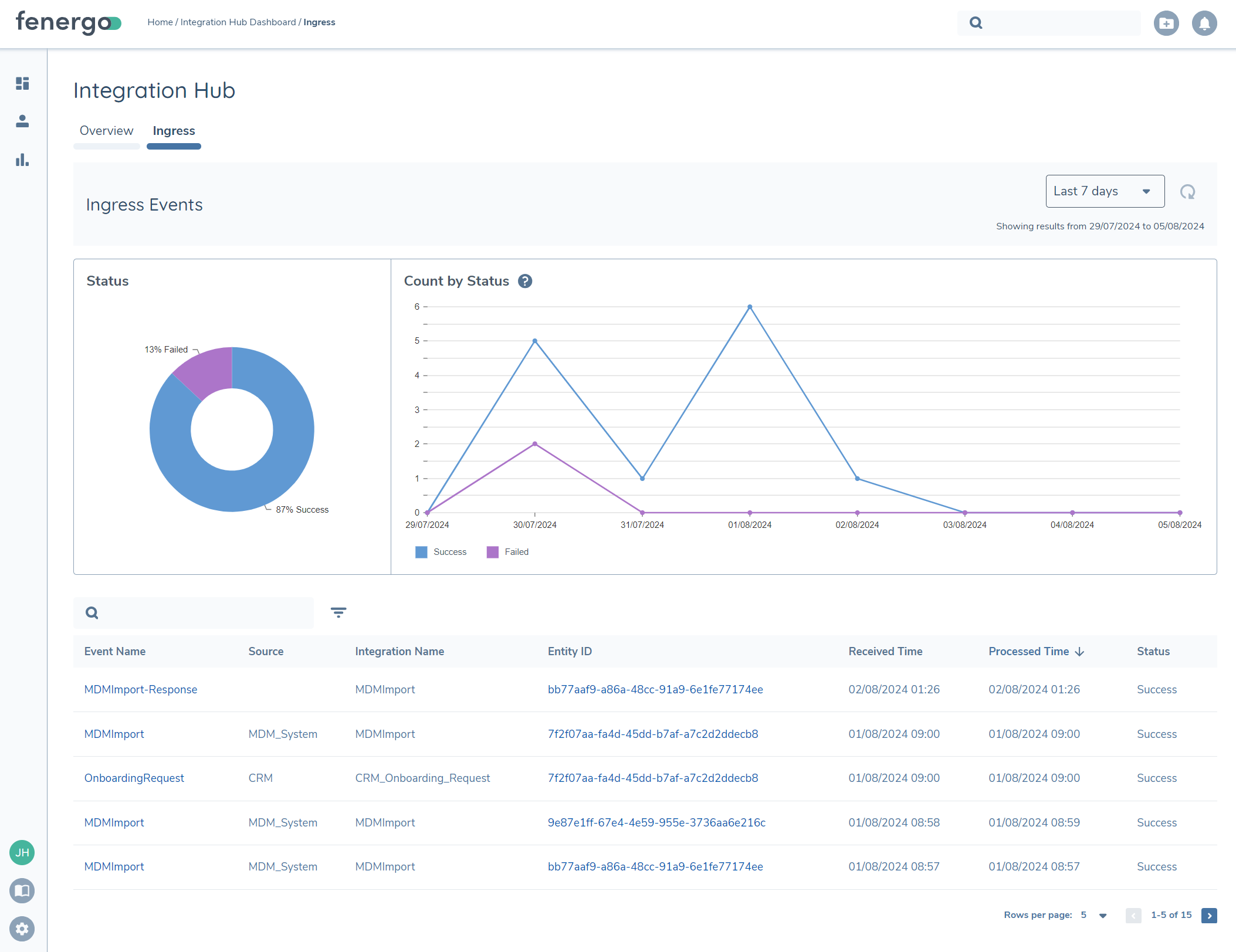
The Event Ingress tab shows an overview of the events processed in a given timeframe, categorized by successful and failed messages. Events that are pending processing will display in the table but not be included in the graphs.
Ingress Details
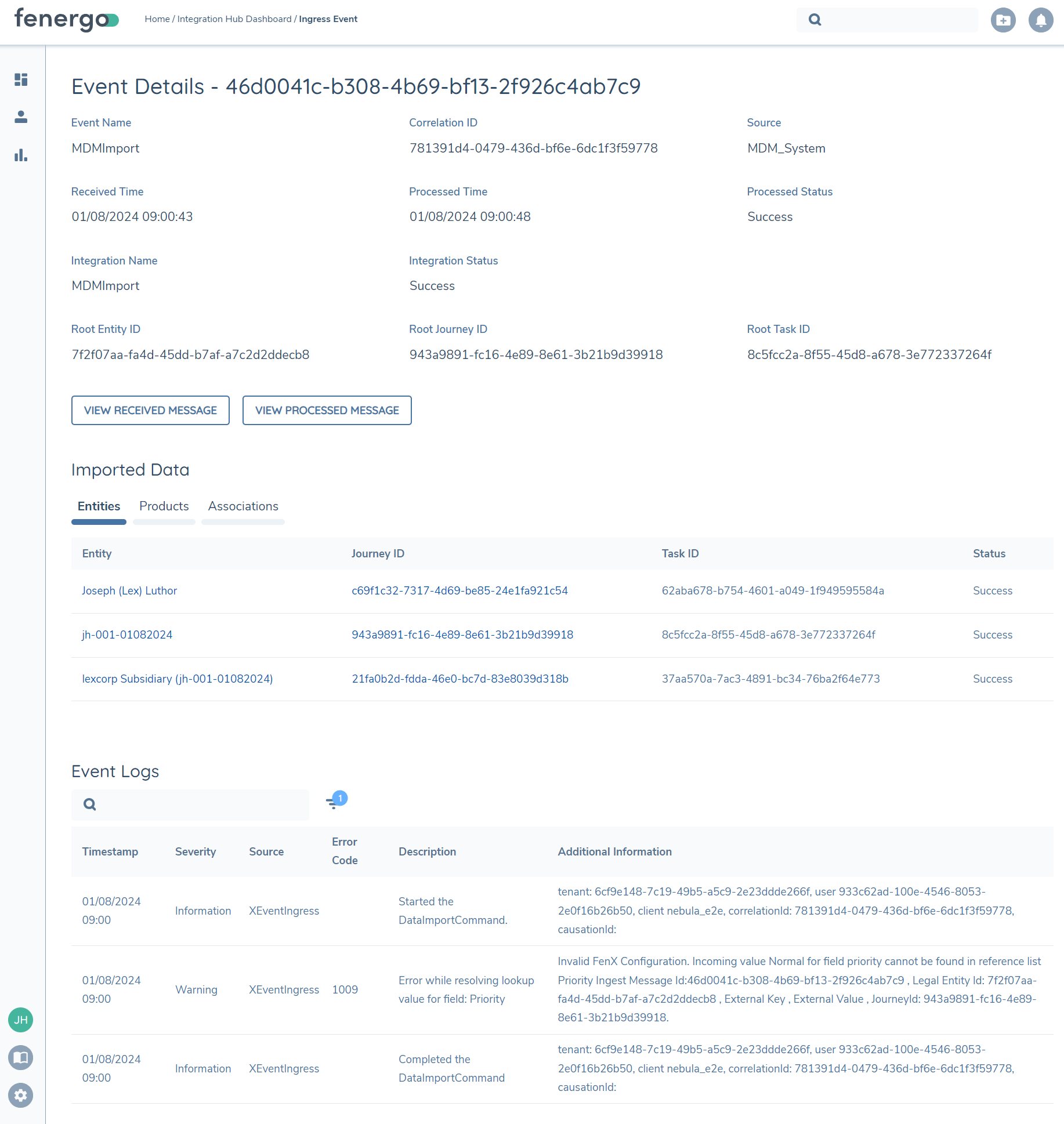
From the Event Details page you can review all details of the event including:
- Event Details and Status
- Impacted Entities and Journeys (DataImport events only)
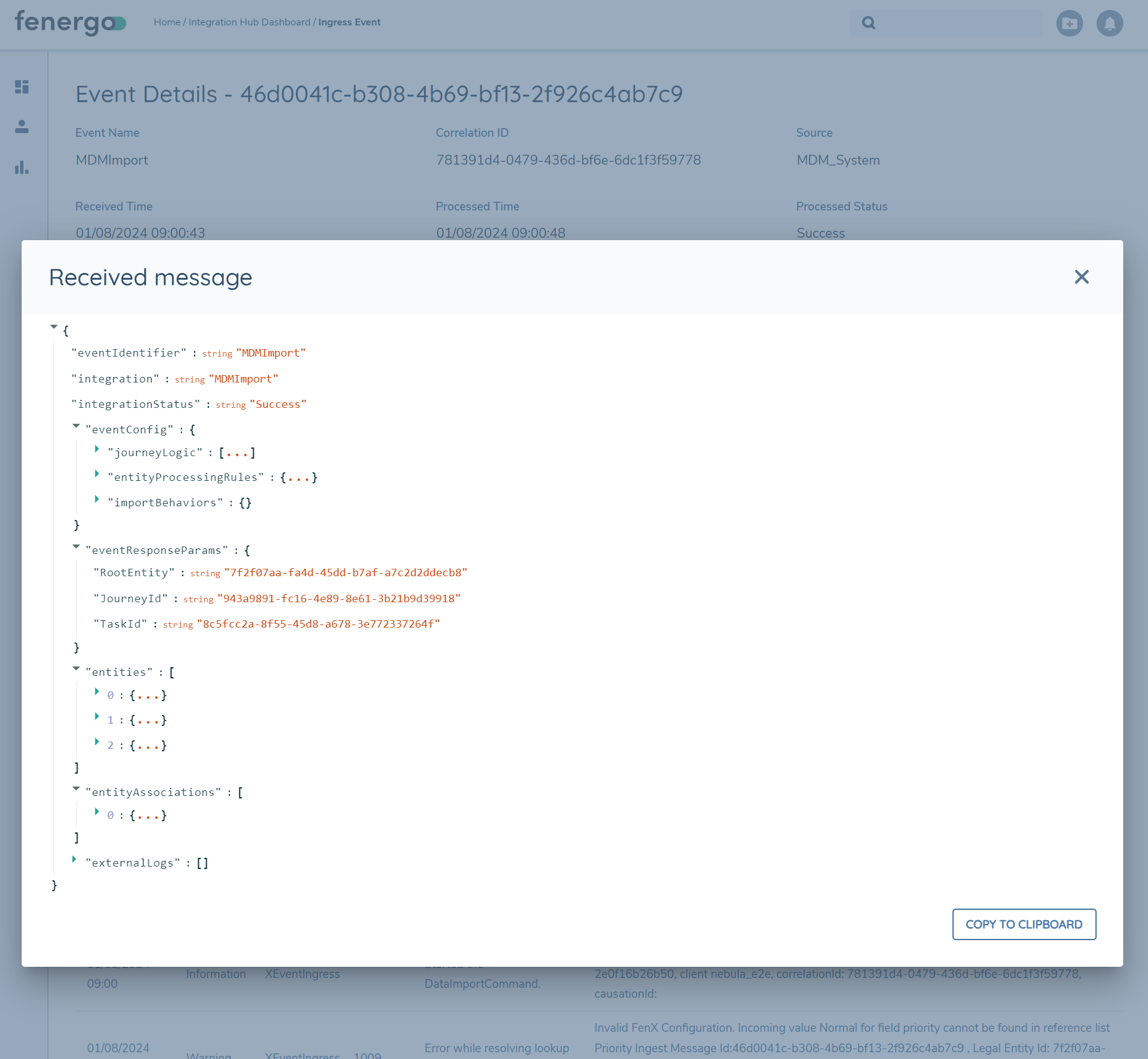
- Original Event Payload
- Processed Event (DataImport events only)
- Logs raised during processing (DataImport events only)
Flows Tab
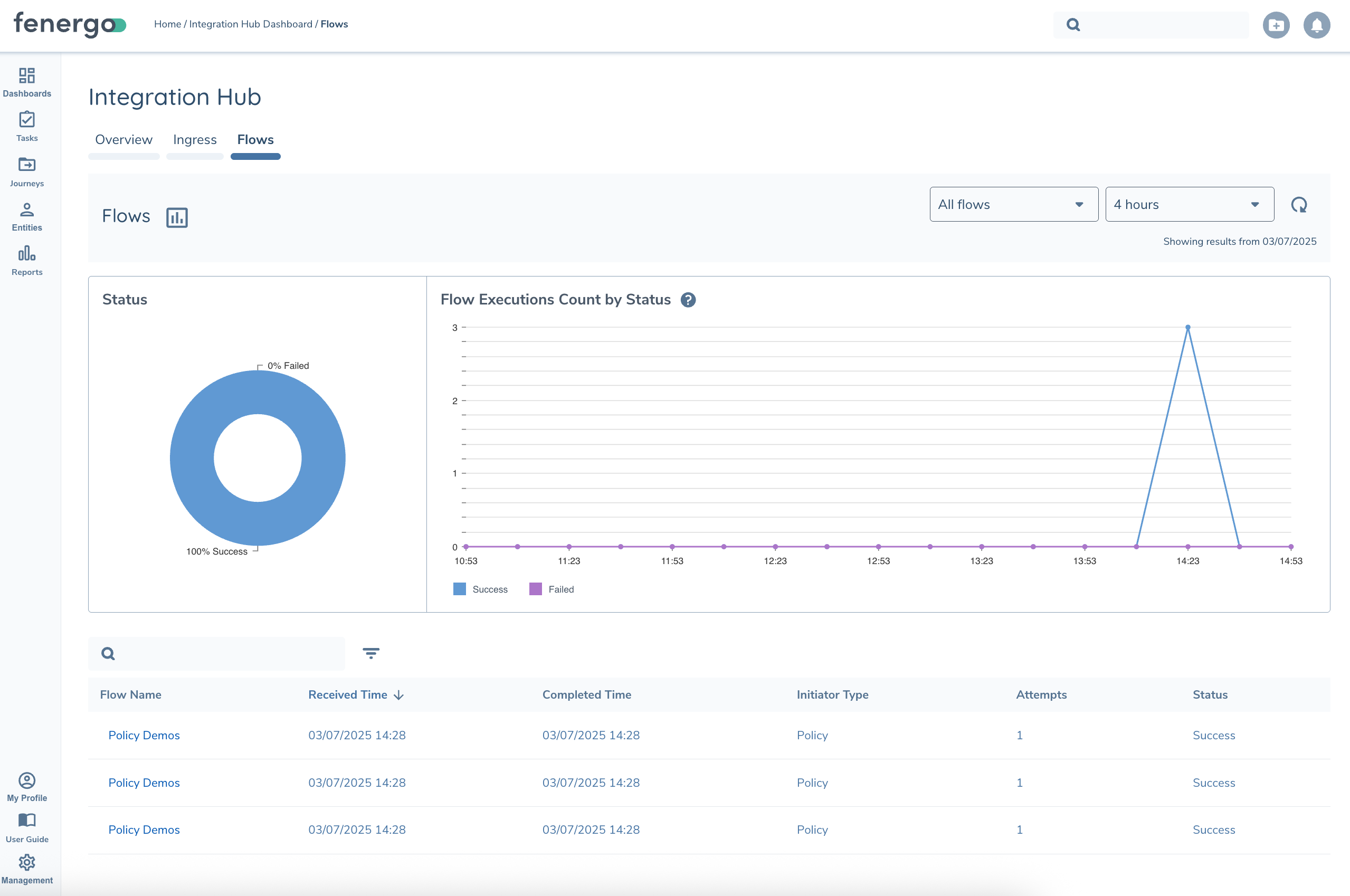
The Integration Flows tab shows an overview of the Flow Executions processed in a given timeframe, categorized by successful and failed messages. Executions that are still running will display in the table but not be included in the graphs.
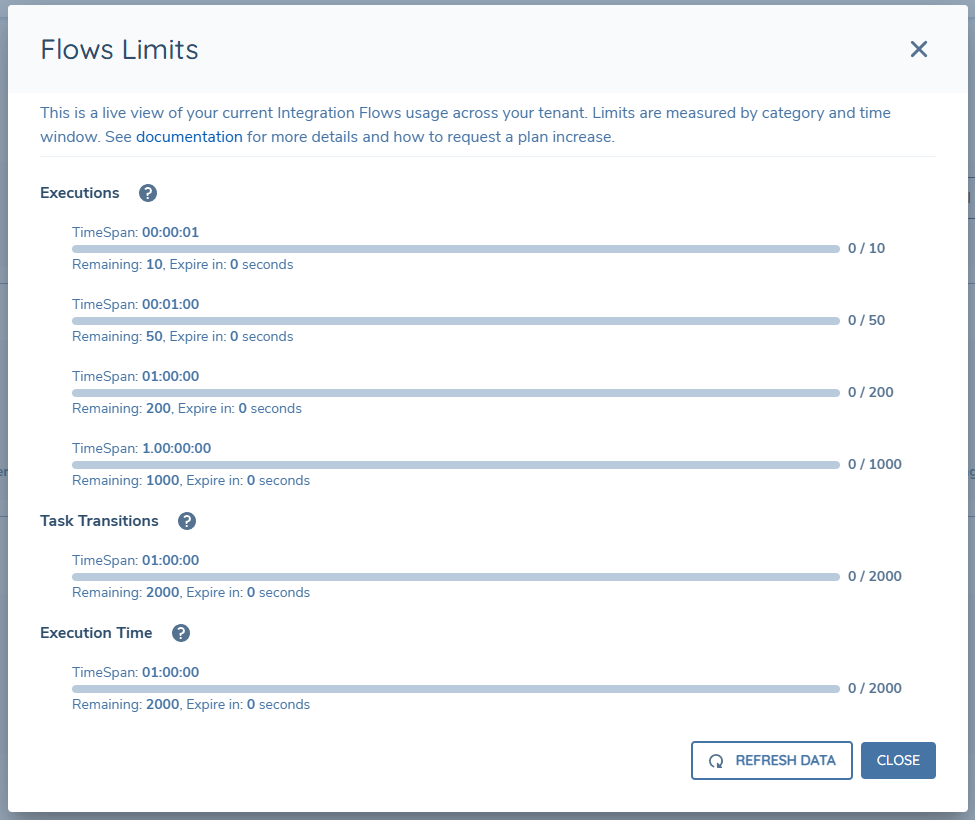
You can also see a live view of Integration Flow activity in your tenant and your status against the Tenant Execution limits. If any limits have been exceeded you’ll see the remaining cooldown period. For more details refer to the Flow Limits page.
Execution Details
Drilling into any Execution will bring you to the Execution Details page where you can review all details of the Flow Execution including:
- Flow Execution Details and Status
- Sequence of tasks executed (Step Logs) and the inputs/ouputs (Step Log Details)
- Logs raised during processing
- See Integration Flows for more details...
Logs Tab
The Logs tab allows you to search Logging Centre log entries in a given timeframe.
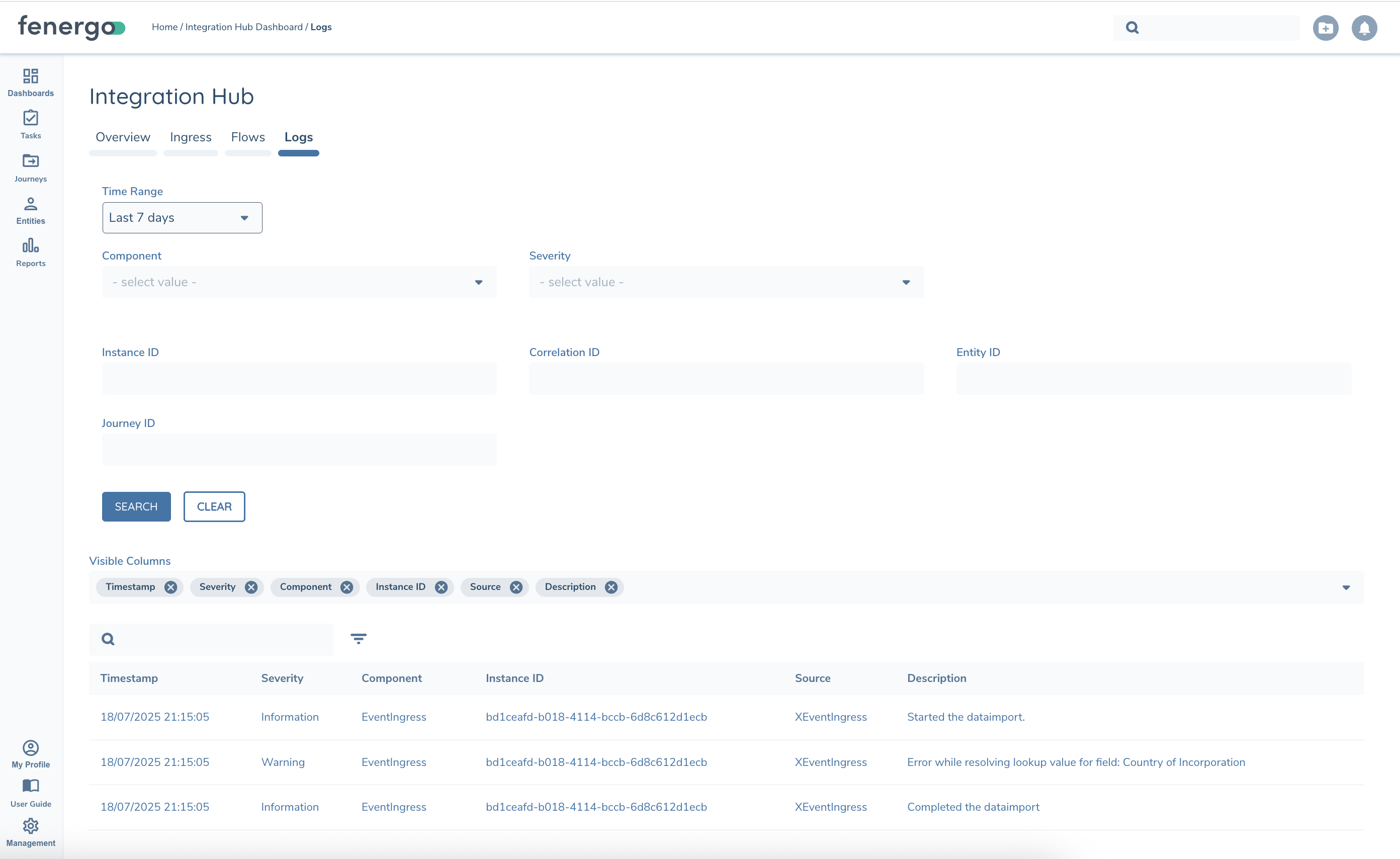
Logs can be filtered by
| Filter | Description |
|---|---|
| Severity | Debug, Information, Warning, Error |
| Component | Event Ingress - DataImport / Verified Import events, Integration Flow, Integration Flow (Custom Authentication API) and External Data Adapter |
| Instance ID | Component Instance Id. Event ID for Event Ingress, Flow Execution Id for Integration Flow, etc. |
| Correlation ID | Correlation ID provided with the Component Instance if provided / supported |
| Entity ID / Journey ID | Some components can include Entity or Journey ID on their log entries. |
How to Configure?
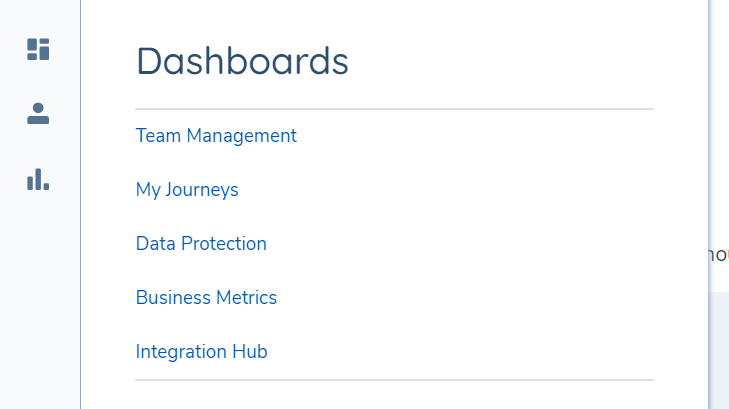
Integration Hub is available by default in the application menu for all users. Integration Dashboard tiles will display at the top of the page only if the required permissions are in place for that integration service.
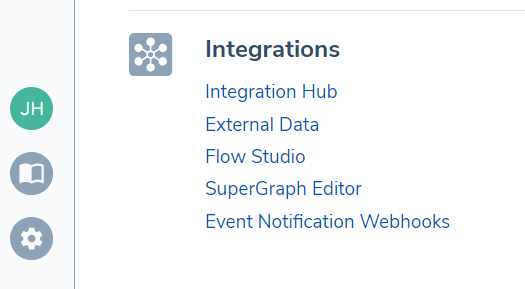
Additionally Integration Hub is available via the Dashboard icon in the left-hand navigation bar for users that have the Event Ingress : Get Event Details permission.
Permissions
The following permissions are required to access the full functionality in Integration Hub:
| Permission | Description |
|---|---|
| Event Ingress : Get Event Details | This permission allows users to retrieve details on Event Ingress messages such as Event Type, Processing Status and further details. Users with this permission will see Integration Hub in the Dashboard menu. |
| Event Ingress : Get Event Payload | This permission allows users to retrieve past event payload, and processed message for when event subtype is DataImport. Take special care when assigning this permission in a Production-like environment as the messages can contain sensitive data. |
| Integration Flows : Flow Execution Read | This permission allows users to retrieve details on Flow Executions. |
| Integration Flows : Flow Execution Details Read | This permission allows users to retrieve Step Log Details. Take special care when assigning this permission in a Production-like environment as the these can contain sensitive data. |
| Logging Centre : Logging Centre Access | This permission allows users to access logs produced by integration services in Fenergo SaaS. |
| Logging Centre : Logging Centre Edit | This permission allows users to change log settings (e.g. opt-in/out) used by integration services in Fenergo SaaS. |
Logging Opt-In
By default Logging Centre is disabled in all tenants. To enable logging you can do so from the Configuration link in Integration Hub -> Logging Centre tile. When logs are disabled you'll see a message in Integration Hub to indicate this (Event or Flow Execution Details)
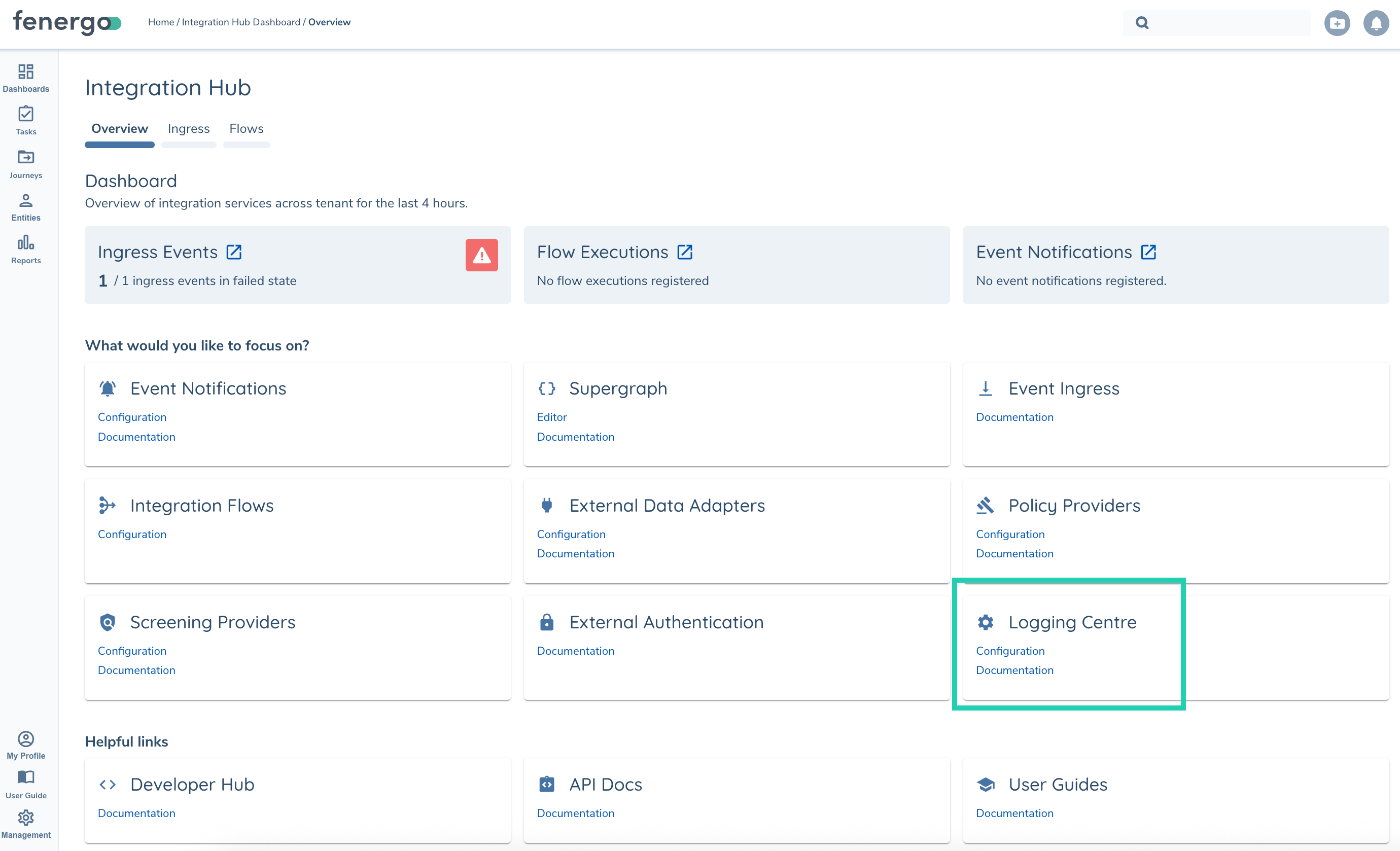
Note: Log Entries in Logging Centre are encrypted at rest using your Tenant Key. For Clients using BYOK Encryption you will need to contact Support if you're having issues enabling as we may need additional permissions to your key before creating the logging stores.